


Instant Technical Answers for Avigilon CCTV
The AI assistant built for CCTV technicians working on site with the Avigilon H5A / H6A Analytics Line and H5SL / H6SL Line.
Free to try

Expert support across Avigilon analytics, multisensor, and PTZ camera lines.










On-site CCTV help
Resolve Avigilon CCTV issues fast
Find guidance drawn directly from CCTV manuals covering the H5A / H6A Analytics Line, Multisensor & Panoramic Camera Line, and PTZ Camera Line. Solve camera faults and installation challenges without waiting for manufacturer phone lines.

Fast camera fault guidance
When you are high up on a ladder servicing an H6A Bullet Camera or setting up an H5SL Dome Camera, get clear diagnostic answers straight away. Solve tricky video anomalies, power troubles, and physical alignment questions without searching through bulky paper documents.
Fast camera fault guidance
When you are high up on a ladder servicing an H6A Bullet Camera or setting up an H5SL Dome Camera, get clear diagnostic answers straight away. Solve tricky video anomalies, power troubles, and physical alignment questions without searching through bulky paper documents.
Fast camera fault guidance
When you are high up on a ladder servicing an H6A Bullet Camera or setting up an H5SL Dome Camera, get clear diagnostic answers straight away. Solve tricky video anomalies, power troubles, and physical alignment questions without searching through bulky paper documents.

Direct camera manual references
Get page-specific references straight from the manufacturer documentation for the H5A PTZ Camera and H5SL Bullet Camera. Check installation requirements, mounting specs, and field-of-view details directly against the published manual pages on your mobile phone.
Direct camera manual references
Get page-specific references straight from the manufacturer documentation for the H5A PTZ Camera and H5SL Bullet Camera. Check installation requirements, mounting specs, and field-of-view details directly against the published manual pages on your mobile phone.
Direct camera manual references
Get page-specific references straight from the manufacturer documentation for the H5A PTZ Camera and H5SL Bullet Camera. Check installation requirements, mounting specs, and field-of-view details directly against the published manual pages on your mobile phone.
H6A Bullet Camera diagnostics
H5SL Dome Camera setup
H5A Multisensor Camera servicing
H6A PTZ Camera repairs
H6A Bullet Camera diagnostics
H5SL Dome Camera setup
H5A Multisensor Camera servicing
H6A PTZ Camera repairs
H6A Bullet Camera diagnostics
H5SL Dome Camera setup
H5A Multisensor Camera servicing
H6A PTZ Camera repairs
H5A Dual Head Camera alignment
H6SL Bullet Camera installs
H5A PTZ Camera tracking
H5A Fisheye Camera mounting
H5A Dual Head Camera alignment
H6SL Bullet Camera installs
H5A PTZ Camera tracking
H5A Fisheye Camera mounting
H5A Dual Head Camera alignment
H6SL Bullet Camera installs
H5A PTZ Camera tracking
H5A Fisheye Camera mounting
CCTV technician toolkit
Built for Avigilon camera technicians
Use specialised artificial intelligence tools created specifically to support trade professionals handling complex IP video installations, camera upgrades, and routine maintenance visits across the country.
Accurate Answers
Receive detailed technical guidance when troubleshooting an H6A Bullet Camera outdoors or commissioning an H5A PTZ Camera. Super Engineer cross-references manual pages, trade forum discussions, and technical video clips so you can locate the right installation details without wasting valuable time on site.
Accurate Answers
Receive detailed technical guidance when troubleshooting an H6A Bullet Camera outdoors or commissioning an H5A PTZ Camera. Super Engineer cross-references manual pages, trade forum discussions, and technical video clips so you can locate the right installation details without wasting valuable time on site.
Personalized to you
Customise the assistant to your security trade and regional location. When installing an H6SL Bullet Camera or an H5A Fisheye Camera, check that your work complies with local codes and regional standards while tailoring setup recommendations to your personal working style.
Personalized to you
Customise the assistant to your security trade and regional location. When installing an H6SL Bullet Camera or an H5A Fisheye Camera, check that your work complies with local codes and regional standards while tailoring setup recommendations to your personal working style.
Improve your skills
Sharpen your CCTV installation expertise on every call with Daily Coach. Get bite-sized training sessions on modern video analytics, whether you are preparing to mount an H5A Dual Head Camera in a stairwell or configuring pan-tilt movement on an H6A PTZ Camera.
Improve your skills
Sharpen your CCTV installation expertise on every call with Daily Coach. Get bite-sized training sessions on modern video analytics, whether you are preparing to mount an H5A Dual Head Camera in a stairwell or configuring pan-tilt movement on an H6A PTZ Camera.
Site Lock
Store distinct camera inventories and notes for every commercial property you maintain. Lock your queries to a site profile containing an H5A Multisensor Camera and multiple H5SL Dome Camera units, keeping historical maintenance observations accessible whenever you return for routine servicing.
Site Lock
Store distinct camera inventories and notes for every commercial property you maintain. Lock your queries to a site profile containing an H5A Multisensor Camera and multiple H5SL Dome Camera units, keeping historical maintenance observations accessible whenever you return for routine servicing.
Ninja Mode
Deploy multiple AI agents simultaneously when complex system integration faults occur. Tackle tricky scenarios involving an H6SL Bullet Camera connected alongside an H5A PTZ Camera, tracing network video streaming hitches, power supply dropouts, and analytics alerting problems across multiple devices at once.
Ninja Mode
Deploy multiple AI agents simultaneously when complex system integration faults occur. Tackle tricky scenarios involving an H6SL Bullet Camera connected alongside an H5A PTZ Camera, tracing network video streaming hitches, power supply dropouts, and analytics alerting problems across multiple devices at once.
Notes
Eliminate manual paperwork after completing an H5SL Bullet Camera replacement or an H6A Bullet Camera install. Speak your findings into the app, capture site photos of camera views, and let the system assemble a structured handover report ready for your client.
Notes
Eliminate manual paperwork after completing an H5SL Bullet Camera replacement or an H6A Bullet Camera install. Speak your findings into the app, capture site photos of camera views, and let the system assemble a structured handover report ready for your client.
Fast on-site answers
Manual page references
Built for technicians
Transparent Pricing, No Surprises
Flexible Plans for All
Straightforward plans designed for individual security technicians and expanding field service installation teams.
Monthly
Yearly
2 months free
Free
$0
user/month
Try it on your next job
500 credits / one-off
ALL industry sectors (knowledge-base)
Custom knowledge upload (with limit)
Ninja Mode (advanced problem solver)
Meme Mode ;-)
Solo
$20
user/month + tax
Fix it solo. Fix it right.
5,000 credits / month*
ALL industry sectors (knowledge-base)
Ninja Mode for tough faults
Rocket Fuel Agents for parts and kit
Share to the Community Brain
Job notes
Meme Mode ;-)
Pro
Popular
$35
user/month + tax
Everything in Solo, plus:
10,000 credits / month*
Private Brain for your own data
Answers from your private Brain
Site Lock for your sites and kit
Custom branding
Daily Coach
10x manual uploads
Coming soon: analytics, API, bulk export
Monthly
Yearly
2 months free
Free
$0
user/month
Try it on your next job
500 credits / one-off
ALL industry sectors (knowledge-base)
Custom knowledge upload (with limit)
Ninja Mode (advanced problem solver)
Meme Mode ;-)
Solo
$20
user/month + tax
Fix it solo. Fix it right.
5,000 credits / month*
ALL industry sectors (knowledge-base)
Ninja Mode for tough faults
Rocket Fuel Agents for parts and kit
Share to the Community Brain
Job notes
Meme Mode ;-)
Pro
Popular
$35
user/month + tax
Everything in Solo, plus:
10,000 credits / month*
Private Brain for your own data
Answers from your private Brain
Site Lock for your sites and kit
Custom branding
Daily Coach
10x manual uploads
Coming soon: analytics, API, bulk export
The future - NOW!
Vision XR
Be the first to access 'Vision XR' - the AI Tech Assistant glasses from Super Engineer

Vision XR
Trial our special AI Glasses designed for tradesmen (coming soon!). The perfect accessory for any tradesman, giving them technical instructions via visual (Head Up Display) & audio (earpiece).
Vision XR
Trial our special AI Glasses designed for tradesmen (coming soon!). The perfect accessory for any tradesman, giving them technical instructions via visual (Head Up Display) & audio (earpiece).
Clear answers
Frequently asked questions
Everything you need to know about Super Engineer.
Which Avigilon CCTV cameras does Super Engineer cover?
Super Engineer covers Avigilon CCTV equipment across four main lines. In the H5A / H6A Analytics Line, it supports the H6A Bullet Camera with resolution up to 8 MP • for the H5SL / H6SL Line, it includes the H5SL Dome Camera with 5 MP max resolution • the H5SL Bullet Camera with 230 ft max IR range • and the H6SL Bullet Camera with built-in IR illumination • across the Multisensor & Panoramic Camera Line, it covers the H5A Multisensor Camera with up to 32 MP total resolution • the H5A Dual Head Camera with 10 MP max resolution • and the H5A Fisheye Camera panoramic single-sensor camera • for the PTZ (Pan-Tilt-Zoom) Camera Line, it details the H5A PTZ Camera in 8 MP • and the H6A PTZ Camera offering 360-degree PTZ views. These are only examples — the Super Engineer app covers many more Avigilon models.
Is Super Engineer affiliated with Avigilon?
No. Super Engineer is an independent technical tool built to assist field service technicians and security tradespeople. We are not affiliated with, sponsored by, or connected to Avigilon (Motorola Solutions) in any capacity. All registered trademarks, model names, and brand references belong strictly to their respective owners. Our platform works alongside your hard-earned trade knowledge by synthesising publicly accessible technical documentation, user instruction manuals, trade forum discussions, and video resources into rapid field guidance. When you are on site installing an H6A Bullet Camera or diagnosing an H5A PTZ Camera, Super Engineer provides objective, page-referenced information to help you complete your day-to-day service calls efficiently without waiting in long telephone support queues. You get unbiased technical clarity whenever you need it.
Can Super Engineer help with installs across Avigilon camera lines?
Yes, Super Engineer provides practical support through every phase of a CCTV project, from initial physical installation to routine servicing and complete system upgrades. During new installs of an H6SL Bullet Camera or an H5A Fisheye Camera, you can quickly query bracket mounting specs, field of view adjustments, and power requirements directly on your mobile device. On planned servicing visits or reactive fault calls for an H5A Dual Head Camera or an H6A PTZ Camera, the assistant helps you identify hardware communication dropouts, degraded video signals, or mechanical positioning errors without delays. Whether you are replacing older units with an H5A Multisensor Camera or carrying out maintenance across a commercial site, Super Engineer delivers clear technical steps referenced straight from published equipment manuals.
Can Super Engineer troubleshoot older Avigilon camera hardware?
Super Engineer handles discontinued and legacy hardware just as effectively as the latest camera models. Many commercial security sites still rely on discontinued devices such as the H5SL Dome Camera, the H5SL Bullet Camera, or the dual-sensor H5A Dual Head Camera, where printed documentation can be difficult to track down on site. Super Engineer retains comprehensive technical manuals and setup references for these older units, allowing technicians to diagnose power supply faults, restore video streams, and check lens specifications without digging through office archives. Whether you are servicing an older commercial installation or planning a staged upgrade to modern analytics hardware, the app delivers dependable answers and direct page citations to keep your legacy equipment working reliably.
How do security teams use Super Engineer across camera jobs?
Security installation companies and maintenance teams use Super Engineer to share technical knowledge, standardise camera setup procedures, and streamline site documentation. Using shared workspaces and Private Brain features, senior technicians can record custom configuration tips and site quirks for models like the H6A Bullet Camera, H5A Multisensor Camera, and H5A PTZ Camera so apprentice installers have instant access to company knowledge. Field teams collaborate seamlessly via WhatsApp, Slack, or mobile apps, asking questions while on site and generating uniform job reports with the Notes feature. With Site Lock organising device histories across different client facilities, teams resolve recurring CCTV faults faster, onboard junior technicians effortlessly, and maintain a consistently high standard of workmanship across all customer service visits throughout the working week.
Which Avigilon CCTV cameras does Super Engineer cover?
Is Super Engineer affiliated with Avigilon?
Can Super Engineer help with installs across Avigilon camera lines?
Can Super Engineer troubleshoot older Avigilon camera hardware?
How do security teams use Super Engineer across camera jobs?
Feel free to mail us for any enquiries : team@superengineer.app
Helpful field tools
More clever technician features
Extra practical capabilities to keep your CCTV installation and maintenance jobs running smoothly.
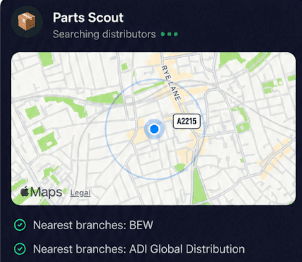
Source equipment easily
When replacing an older H5SL Bullet Camera mount or tracking down mounting adaptors for an H6A PTZ Camera, Parts Scout identifies the correct part numbers and directs you to the closest or cheapest stockist so you can finish the repair without site delays.
Source equipment easily
When replacing an older H5SL Bullet Camera mount or tracking down mounting adaptors for an H6A PTZ Camera, Parts Scout identifies the correct part numbers and directs you to the closest or cheapest stockist so you can finish the repair without site delays.

Meme Mode
Finished running cables across a warehouse for an H5A Multisensor Camera, or finally nailed the focus on an H6A Bullet Camera? Send WIN, FAIL, or HAPPY CUSTOMER memes to colleagues to celebrate your on-site victories or share a laugh after a challenging installation.
Meme Mode
Finished running cables across a warehouse for an H5A Multisensor Camera, or finally nailed the focus on an H6A Bullet Camera? Send WIN, FAIL, or HAPPY CUSTOMER memes to colleagues to celebrate your on-site victories or share a laugh after a challenging installation.
Made by engineers for engineers
What Early Users Say
Read what some of the first test users are saying about Super Engineer
Love the speed it finds answers from manuals. Especially on older more obscure equipment

Brendan
Security Engineer
Love the speed it finds answers from manuals. Especially on older more obscure equipment
Brendan
Security Engineer
We especially like the fact we can upload our specific company settings - as engineers are always forgetting them!

Alessandro
Company owner
We especially like the fact we can upload our specific company settings - as engineers are always forgetting them!
Alessandro
Company owner
We've uploaded all our support docs to the Brain so engineers don't have to call me all the time

David
Tech support manager
We've uploaded all our support docs to the Brain so engineers don't have to call me all the time
David
Tech support manager
Finish on time
Smarter CCTV Support for the Modern Technician
Smarter CCTV Support for the Modern Technician
Whether it’s handling a new piece of equipment, finding you that perfect morning snack or sourcing a missing piece of kit, Super Engineer’s AI makes your life easier & makes you smarter.
Includes our Get Home Early Guarantee ;-)
Whether it’s handling a new piece of equipment, finding you that perfect morning snack or sourcing a missing piece of kit, Super Engineer’s AI makes your life easier & makes you smarter.
Includes our Get Home Early Guarantee ;-)
