


Support for Easee EV Charger Technicians
The dedicated AI assistant giving every technician instant answers across Easee Residential / Domestic Chargers and Commercial & Multi-Dwelling Chargers on site.
Free to try

On-site support across Easee residential and commercial EV charging ranges










AI technical help
Resolve Easee faults fast
Get clear answers direct from Easee instruction manuals alongside collective trade knowledge. Tackle complex installs and maintenance across the Residential / Domestic Chargers and Commercial & Multi-Dwelling Chargers ranges with complete clarity.

Accurate answers on site
Diagnose an uncommunicative Easee One or troubleshoot status indicators on an Easee Home without spending your afternoon on hold to technical support. Get step-by-step guidance straight away, whether you are commissioning a new post or tracing a supply interruption on a private driveway.
Accurate answers on site
Diagnose an uncommunicative Easee One or troubleshoot status indicators on an Easee Home without spending your afternoon on hold to technical support. Get step-by-step guidance straight away, whether you are commissioning a new post or tracing a supply interruption on a private driveway.
Accurate answers on site
Diagnose an uncommunicative Easee One or troubleshoot status indicators on an Easee Home without spending your afternoon on hold to technical support. Get step-by-step guidance straight away, whether you are commissioning a new post or tracing a supply interruption on a private driveway.

Instruction manual sources
Get page-specific instruction manual references directly for your Easee equipment. If you are servicing a Charge Lite unit or completing initial checks on an Easee Charge installation, you can confirm terminal layouts and manufacturer guidance directly from the original manufacturer manual without searching through paperwork on site.
Instruction manual sources
Get page-specific instruction manual references directly for your Easee equipment. If you are servicing a Charge Lite unit or completing initial checks on an Easee Charge installation, you can confirm terminal layouts and manufacturer guidance directly from the original manufacturer manual without searching through paperwork on site.
Instruction manual sources
Get page-specific instruction manual references directly for your Easee equipment. If you are servicing a Charge Lite unit or completing initial checks on an Easee Charge installation, you can confirm terminal layouts and manufacturer guidance directly from the original manufacturer manual without searching through paperwork on site.
Easee One fault-finding
Easee Charge commercial setup
Charge Lite diagnostics
Charge Core installation help
Easee One fault-finding
Easee Charge commercial setup
Charge Lite diagnostics
Charge Core installation help
Easee One fault-finding
Easee Charge commercial setup
Charge Lite diagnostics
Charge Core installation help
Easee Home servicing support
Charge Up fast troubleshooting
Charge Pro maintenance tips
Charge Max unit checks
Easee Home servicing support
Charge Up fast troubleshooting
Charge Pro maintenance tips
Charge Max unit checks
Easee Home servicing support
Charge Up fast troubleshooting
Charge Pro maintenance tips
Charge Max unit checks
Smart trade tools
AI toolkit for technicians
Put specialized technical tools in your pocket to tackle daily EV charging installations, routine maintenance visits, complex multi-vehicle jobs and difficult call-outs across residential and commercial customer sites.
Accurate Answers
Receive clear technical answers backed by manufacturer manual citations, YouTube walkthroughs and installer discussions. When tackling an unexpected warning light on an Easee One or configuring an Easee Charge line, get the right reference without flipping through heavy booklets or waiting on phone support queues.
Accurate Answers
Receive clear technical answers backed by manufacturer manual citations, YouTube walkthroughs and installer discussions. When tackling an unexpected warning light on an Easee One or configuring an Easee Charge line, get the right reference without flipping through heavy booklets or waiting on phone support queues.
Personalized to you
Set your trade, language and location to tailor answers to regional wiring practices and local installation codes. Whether installing a Charge Lite unit at a home or a Charge Core in a multi-car facility, the app helps you evaluate regional guidelines smoothly.
Personalized to you
Set your trade, language and location to tailor answers to regional wiring practices and local installation codes. Whether installing a Charge Lite unit at a home or a Charge Core in a multi-car facility, the app helps you evaluate regional guidelines smoothly.
Improve your skills
Use Coach to sharpen your technical understanding through brief, daily on-the-job training modules. Keep up to speed with modern hardware like the Charge Up and the commercial Charge Pro while travelling between customer appointments or before tackling an unfamiliar unit.
Improve your skills
Use Coach to sharpen your technical understanding through brief, daily on-the-job training modules. Keep up to speed with modern hardware like the Charge Up and the commercial Charge Pro while travelling between customer appointments or before tackling an unfamiliar unit.
Site Lock
Lock your queries to a specific commercial location or residential client. Save hardware records, past issues and unit histories across every installed Charge Core or Easee Charge, keeping multi-bay projects organized for every return maintenance visit.
Site Lock
Lock your queries to a specific commercial location or residential client. Save hardware records, past issues and unit histories across every installed Charge Core or Easee Charge, keeping multi-bay projects organized for every return maintenance visit.
Ninja Mode
Deploy Ninja Mode when facing intricate multi-vehicle installations or compound electrical faults. It coordinates multiple AI agents simultaneously to trace supply issues, gateway hiccups and hardware interactions across large networks of Charge Pro or Charge Max units.
Ninja Mode
Deploy Ninja Mode when facing intricate multi-vehicle installations or compound electrical faults. It coordinates multiple AI agents simultaneously to trace supply issues, gateway hiccups and hardware interactions across large networks of Charge Pro or Charge Max units.
Notes
Complete your site reports without typing on your phone. Speak your observations aloud, photograph your completed Easee One or Charge Lite setup, and let the AI compile a structured, client-ready summary before you leave your van.
Notes
Complete your site reports without typing on your phone. Speak your observations aloud, photograph your completed Easee One or Charge Lite setup, and let the AI compile a structured, client-ready summary before you leave your van.
Easy to use
Field ready
Team scalable
Transparent Pricing, No Surprises
Flexible Plans for All
Pick a plan that fits your workload and upgrade whenever your business needs expand.
Monthly
Yearly
2 months free
Free
$0
user/month
Try it on your next job
500 credits / one-off
ALL industry sectors (knowledge-base)
Custom knowledge upload (with limit)
Ninja Mode (advanced problem solver)
Meme Mode ;-)
Solo
$20
user/month + tax
Fix it solo. Fix it right.
5,000 credits / month*
ALL industry sectors (knowledge-base)
Ninja Mode for tough faults
Rocket Fuel Agents for parts and kit
Share to the Community Brain
Job notes
Meme Mode ;-)
Pro
Popular
$35
user/month + tax
Everything in Solo, plus:
10,000 credits / month*
Private Brain for your own data
Answers from your private Brain
Site Lock for your sites and kit
Custom branding
Daily Coach
10x manual uploads
Coming soon: analytics, API, bulk export
Monthly
Yearly
2 months free
Free
$0
user/month
Try it on your next job
500 credits / one-off
ALL industry sectors (knowledge-base)
Custom knowledge upload (with limit)
Ninja Mode (advanced problem solver)
Meme Mode ;-)
Solo
$20
user/month + tax
Fix it solo. Fix it right.
5,000 credits / month*
ALL industry sectors (knowledge-base)
Ninja Mode for tough faults
Rocket Fuel Agents for parts and kit
Share to the Community Brain
Job notes
Meme Mode ;-)
Pro
Popular
$35
user/month + tax
Everything in Solo, plus:
10,000 credits / month*
Private Brain for your own data
Answers from your private Brain
Site Lock for your sites and kit
Custom branding
Daily Coach
10x manual uploads
Coming soon: analytics, API, bulk export
The future - NOW!
Vision XR
Be the first to access 'Vision XR' - the AI Tech Assistant glasses from Super Engineer

Vision XR
Trial our special AI Glasses designed for tradesmen (coming soon!). The perfect accessory for any tradesman, giving them technical instructions via visual (Head Up Display) & audio (earpiece).
Vision XR
Trial our special AI Glasses designed for tradesmen (coming soon!). The perfect accessory for any tradesman, giving them technical instructions via visual (Head Up Display) & audio (earpiece).
Common questions
Easee EV queries answered
Find out how Super Engineer supports technicians on site.
Which Easee equipment does Super Engineer cover?
Super Engineer covers both major Easee hardware lineups: Residential / Domestic Chargers (SDU) and Commercial & Multi-Dwelling Chargers (MDU). In the domestic range, that includes Easee One, developed specifically for the UK domestic market with open PEN conductor protection • Easee Home, a domestic smart charger delivering 7.4kW • Charge Up, a residential charger delivering smart domestic charging • Charge Lite, designed for domestic smart charging without requiring a Type B circuit breaker. For commercial work, it covers Easee Charge, offering commercial charging up to 22 kW on three-phase supplies • Charge Core, scalable for commercial multi-site installations up to 22 kW • Charge Pro, a heavy-duty commercial unit offering speeds up to 22 kW • Charge Max, featuring an integrated energy meter and display for commercial billing. These examples highlight core hardware, but the Super Engineer app covers many more Easee models.
Is Super Engineer affiliated with Easee?
No. Super Engineer is an independent technical assistant created to help tradespeople, electricians and field technicians solve technical problems on the job. We have no commercial relationship, sponsorship, partnership or formal connection with Easee. Our AI draws on published instruction manuals, user guides, trade discussions and industry knowledge to provide practical guidance for technicians working with an Easee charger in domestic driveways, commercial car parks or fleet depots. Whether you are handling residential products like the Easee One, Easee Home and Charge Lite or commercial models such as Easee Charge and Charge Core, our platform operates independently. All brand names, model names and product designations are used solely to identify the equipment being serviced by technicians in the field.
Can Super Engineer help with Easee installs and call-outs?
Yes. Super Engineer helps technicians across every stage of work, from initial mounting and wiring through to commissioning, routine servicing and emergency breakdown calls. If you are completing a residential replacement involving an Easee One or setting up an Easee Home on a domestic circuit, you can ask questions about mounting, supply considerations and indicator light sequences. For commercial fleet depots or apartment blocks fitting out rows of Charge Core or Charge Pro units, the platform aids with multi-charger layout planning, supply balancing checks and network communication diagnostics. It also supports ongoing maintenance on Charge Lite, Charge Up and Charge Max units, helping you quickly identify why a vehicle will not take a charge and pinpointing where to inspect next.
How does Super Engineer assist with fault-finding across ranges?
When an EV charger refuses to start a charging session or flags an unusual system warning, finding the root cause quickly on site is essential. Super Engineer allows you to describe physical symptoms, report LED indicator colours or upload a photo of the unit directly from your phone. Whether you are troubleshooting an isolated Easee One home unit that will not release its connector, or investigating communication dropouts across an array of commercial Easee Charge units, the app points you toward likely failure points. Because it cross-references technical manuals with installer knowledge, you get practical inspection paths to isolate faults across the entire residential and commercial lineup, including units like the Charge Lite and Charge Core.
How do electrical teams use Super Engineer on Easee jobs?
Contracting firms and electrical service teams use Super Engineer across mobile apps, WhatsApp, Slack and the web workspace to share practical job information throughout the working day. Junior technicians working on domestic driveways can quickly verify installation questions on a Charge Lite or Charge Up unit without tying up a senior supervisor on a voice call. Meanwhile, commercial teams maintaining large commercial properties with Charge Max, Charge Pro or Charge Core equipment can log site equipment details using Site Lock and store private company notes in their Private Brain. The Notes feature can even turn spoken audio into tidy handover reports, ensuring everyone on the team stays coordinated across every single customer visit.
Which Easee equipment does Super Engineer cover?
Is Super Engineer affiliated with Easee?
Can Super Engineer help with Easee installs and call-outs?
How does Super Engineer assist with fault-finding across ranges?
How do electrical teams use Super Engineer on Easee jobs?
Feel free to mail us for any enquiries : team@superengineer.app
Extra capability
Useful bonus tools
Clever additions built to streamline your working day.
Source equipment easily
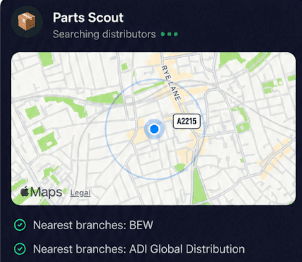
Parts Scout locates nearby stockists and part numbers for backplates, spare covers or mounting accessories across the Easee One and Charge Core lines, so you never waste hours hunting for components.
Source equipment easily
Parts Scout locates nearby stockists and part numbers for backplates, spare covers or mounting accessories across the Easee One and Charge Core lines, so you never waste hours hunting for components.
Meme Mode
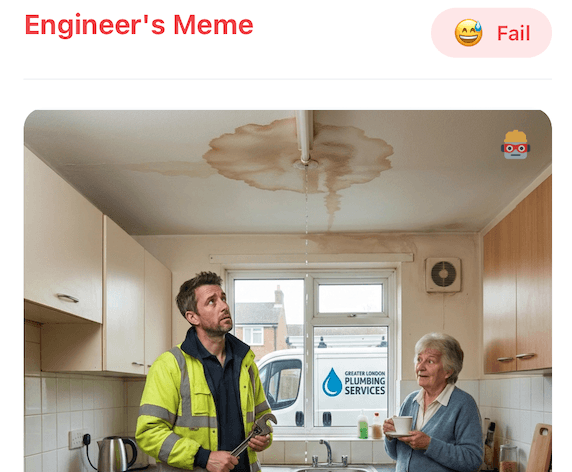
Share a quick meme with fellow technicians when you conquer a messy retrofit on a Charge Pro or celebrate finishing a long row of Easee Charge installs right before the weekend.
Meme Mode
Share a quick meme with fellow technicians when you conquer a messy retrofit on a Charge Pro or celebrate finishing a long row of Easee Charge installs right before the weekend.
Made by engineers for engineers
What Early Users Say
Read what some of the first test users are saying about Super Engineer
Love the speed it finds answers from manuals. Especially on older more obscure equipment

Brendan
Security Engineer
Love the speed it finds answers from manuals. Especially on older more obscure equipment
Brendan
Security Engineer
We especially like the fact we can upload our specific company settings - as engineers are always forgetting them!

Alessandro
Company owner
We especially like the fact we can upload our specific company settings - as engineers are always forgetting them!
Alessandro
Company owner
We've uploaded all our support docs to the Brain so engineers don't have to call me all the time

David
Tech support manager
We've uploaded all our support docs to the Brain so engineers don't have to call me all the time
David
Tech support manager
Finish work faster
Professional technical support for trades
Professional technical support for trades
Whether it’s handling a new piece of equipment, finding you that perfect morning snack or sourcing a missing piece of kit, Super Engineer’s AI makes your life easier & makes you smarter.
Includes our Get Home Early Guarantee ;-)
Whether it’s handling a new piece of equipment, finding you that perfect morning snack or sourcing a missing piece of kit, Super Engineer’s AI makes your life easier & makes you smarter.
Includes our Get Home Early Guarantee ;-)
