


AI Assistant for Edwards Fire Alarm Technicians
Get instant technical guidance and page-referenced Edwards manual sources across the EST Platform and iO-Series fire panels.
Free to try

Supporting technicians across Edwards EST Platform, QuickStart Series and iO-Series equipment










AI technical help
Solve Edwards fire panel faults
Get reliable technical information direct from Edwards instruction manuals combined with trade knowledge to solve complex panel faults and device queries across the EST Platform, iO-Series, and QuickStart Series when working on site.

Accurate Edwards answers
Get rapid technical answers when testing an EST4 network or tracing ground faults on an iO64 intelligent fire alarm control panel. Delivered clearly so you can diagnose issues quickly, keeping jobs moving without waiting on hold or searching paperwork.
Accurate Edwards answers
Get rapid technical answers when testing an EST4 network or tracing ground faults on an iO64 intelligent fire alarm control panel. Delivered clearly so you can diagnose issues quickly, keeping jobs moving without waiting on hold or searching paperwork.
Accurate Edwards answers
Get rapid technical answers when testing an EST4 network or tracing ground faults on an iO64 intelligent fire alarm control panel. Delivered clearly so you can diagnose issues quickly, keeping jobs moving without waiting on hold or searching paperwork.

Direct manual sources
View page-specific citations straight from Edwards documentation. Double-check device configurations for a SIGA-OSD optical smoke detector or check wiring terminal references on a QS4 multi-loop intelligent control panel without searching through paper manuals while standing on a ladder.
Direct manual sources
View page-specific citations straight from Edwards documentation. Double-check device configurations for a SIGA-OSD optical smoke detector or check wiring terminal references on a QS4 multi-loop intelligent control panel without searching through paper manuals while standing on a ladder.
Direct manual sources
View page-specific citations straight from Edwards documentation. Double-check device configurations for a SIGA-OSD optical smoke detector or check wiring terminal references on a QS4 multi-loop intelligent control panel without searching through paper manuals while standing on a ladder.
EST4 network troubleshooting
iO1000 panel commissioning
QS1 fire panel servicing
EST3 modular system maintenance
EST4 network troubleshooting
iO1000 panel commissioning
QS1 fire panel servicing
EST3 modular system maintenance
EST4 network troubleshooting
iO1000 panel commissioning
QS1 fire panel servicing
EST3 modular system maintenance
Signature Series fault tracing
EST3X node diagnostics
iO500 addressable panel help
SIGA-CT1 monitor module setup
Signature Series fault tracing
EST3X node diagnostics
iO500 addressable panel help
SIGA-CT1 monitor module setup
Signature Series fault tracing
EST3X node diagnostics
iO500 addressable panel help
SIGA-CT1 monitor module setup
Advanced AI tools
Built for Edwards fire technicians
Use specialised AI tools to speed up routine maintenance, diagnostics, and documentation on every Edwards fire alarm call, helping you resolve faults faster across complex commercial systems.
Accurate Answers
Receive clear technical guidance for complex Edwards installations, supported by manual citations and trade references. Whether troubleshooting an EST3 modular system or commissioning an iO1000 intelligent addressable panel, get the right technical details quickly so you can resolve faults without guesswork.
Accurate Answers
Receive clear technical guidance for complex Edwards installations, supported by manual citations and trade references. Whether troubleshooting an EST3 modular system or commissioning an iO1000 intelligent addressable panel, get the right technical details quickly so you can resolve faults without guesswork.
Personalized to you
Tailor answers to your specific location and trade requirements. Ensure guidance for installing an addressable manual call point like the SIGA-270 aligns with local safety requirements and regional installation practices, keeping your project compliant without slowing down your installation work.
Personalized to you
Tailor answers to your specific location and trade requirements. Ensure guidance for installing an addressable manual call point like the SIGA-270 aligns with local safety requirements and regional installation practices, keeping your project compliant without slowing down your installation work.
Improve your skills
Set up Coach to get bite-sized professional training while on site. Sharpen your diagnostic knowledge across the QuickStart Series, including the QSC conventional multi-zone fire control panel and modular systems, building your confidence on unfamiliar hardware between service calls.
Improve your skills
Set up Coach to get bite-sized professional training while on site. Sharpen your diagnostic knowledge across the QuickStart Series, including the QSC conventional multi-zone fire control panel and modular systems, building your confidence on unfamiliar hardware between service calls.
Site Lock
Save equipment inventories for every building you service. Lock your queries to a site running an EST3X life safety control panel so the AI remembers installed modules, loops, and network nodes, avoiding repetitive explanations on every maintenance visit.
Site Lock
Save equipment inventories for every building you service. Lock your queries to a site running an EST3X life safety control panel so the AI remembers installed modules, loops, and network nodes, avoiding repetitive explanations on every maintenance visit.
Ninja Mode
Tackle multi-fault emergencies across interconnected systems. Ninja Mode deploys multiple agents to resolve difficult issues linking an EST4 platform, external mass notification interfaces, and addressable field loops, guiding you through tricky system interactions when multiple faults appear simultaneously.
Ninja Mode
Tackle multi-fault emergencies across interconnected systems. Ninja Mode deploys multiple agents to resolve difficult issues linking an EST4 platform, external mass notification interfaces, and addressable field loops, guiding you through tricky system interactions when multiple faults appear simultaneously.
Notes
Never spend your evening writing job notes again. Speak your diagnostic findings after servicing an iO500 addressable control panel, attach photos of the cabinet, and let Super Engineer generate clean site reports automatically for your clients and office team.
Notes
Never spend your evening writing job notes again. Speak your diagnostic findings after servicing an iO500 addressable control panel, attach photos of the cabinet, and let Super Engineer generate clean site reports automatically for your clients and office team.
Rapid fault finding
Page-specific manual citations
Scalable team workspaces
Transparent Pricing, No Surprises
Flexible Plans for All
Choose a plan that fits your servicing workload and scale with your business.
Monthly
Yearly
2 months free
Free
$0
user/month
Try it on your next job
500 credits / one-off
ALL industry sectors (knowledge-base)
Custom knowledge upload (with limit)
Ninja Mode (advanced problem solver)
Meme Mode ;-)
Solo
$20
user/month + tax
Fix it solo. Fix it right.
5,000 credits / month*
ALL industry sectors (knowledge-base)
Ninja Mode for tough faults
Rocket Fuel Agents for parts and kit
Share to the Community Brain
Job notes
Meme Mode ;-)
Pro
Popular
$35
user/month + tax
Everything in Solo, plus:
10,000 credits / month*
Private Brain for your own data
Answers from your private Brain
Site Lock for your sites and kit
Custom branding
Daily Coach
10x manual uploads
Coming soon: analytics, API, bulk export
Monthly
Yearly
2 months free
Free
$0
user/month
Try it on your next job
500 credits / one-off
ALL industry sectors (knowledge-base)
Custom knowledge upload (with limit)
Ninja Mode (advanced problem solver)
Meme Mode ;-)
Solo
$20
user/month + tax
Fix it solo. Fix it right.
5,000 credits / month*
ALL industry sectors (knowledge-base)
Ninja Mode for tough faults
Rocket Fuel Agents for parts and kit
Share to the Community Brain
Job notes
Meme Mode ;-)
Pro
Popular
$35
user/month + tax
Everything in Solo, plus:
10,000 credits / month*
Private Brain for your own data
Answers from your private Brain
Site Lock for your sites and kit
Custom branding
Daily Coach
10x manual uploads
Coming soon: analytics, API, bulk export
The future - NOW!
Vision XR
Be the first to access 'Vision XR' - the AI Tech Assistant glasses from Super Engineer

Vision XR
Trial our special AI Glasses designed for tradesmen (coming soon!). The perfect accessory for any tradesman, giving them technical instructions via visual (Head Up Display) & audio (earpiece).
Vision XR
Trial our special AI Glasses designed for tradesmen (coming soon!). The perfect accessory for any tradesman, giving them technical instructions via visual (Head Up Display) & audio (earpiece).
Frequently Asked Questions
Edwards technical support queries
Everything you need to know about Super Engineer for Edwards fire systems.
Which Edwards fire alarm systems does Super Engineer cover?
Super Engineer covers key Edwards fire alarm ranges and addressable devices. • EST Platform: EST4 provides a new network architecture for fire alarm and emergency communications • EST3 modular control platform designed for standalone fire alarms or networked systems • EST3X life safety control panel supporting standalone operation, networking up to eight nodes, or integration into networks of up to 64 nodes • iO-Series: iO64 intelligent fire alarm control panel • iO500 addressable control panel • iO1000 intelligent addressable panel • QuickStart Series: QS1 intelligent fire alarm control panel • QS4 multi-loop intelligent control panel • QSC conventional multi-zone fire control panel • Signature Series: SIGA-OSD intelligent optical smoke detector • SIGA-270 addressable manual call point • SIGA-CT1 addressable monitor module. These are only examples — the Super Engineer app covers many more Edwards models.
Is Super Engineer affiliated with Edwards?
No. Super Engineer is completely independent, meaning it is not affiliated with, endorsed by, or connected to Edwards or any of its parent organisations. We build an AI technical assistant created specifically to assist field technicians by combining practical trade knowledge with direct references to manufacturer documentation. Our knowledge base indexes public technical manuals so you can quickly locate relevant configuration guidelines when servicing an Edwards fire alarm system, installing peripheral devices, or diagnosing complex panel networks. All brand names, model references such as the EST Platform, EST3X, or the iO-Series, and registered trademarks belong entirely to their respective owners, used solely to help working technicians identify the equipment they inspect on site.
How does Super Engineer help with Edwards servicing and installs?
Super Engineer assists technicians through every phase of working on an Edwards fire alarm across residential, commercial, and industrial sites. When commissioning new installations, such as fitting a SIGA-CT1 addressable monitor module or setting up an iO1000 intelligent addressable panel, the assistant helps you locate relevant wiring references and terminal assignments in published manuals. During planned maintenance visits and urgent fault calls, you can quickly diagnose dirty sensors on a SIGA-OSD intelligent optical smoke detector or track down communication line troubles across an EST3X life safety control panel. If you are handling modernisation projects or system upgrades, the app guides your transition when migrating legacy equipment to an EST4 control platform, helping you keep projects moving smoothly without unnecessary delays.
Can Super Engineer assist with older Edwards QuickStart Series panels?
Yes, Super Engineer provides comprehensive technical support for older and established installations across the QuickStart Series. If you are called out to service a legacy property running a QS1 intelligent fire alarm control panel or a QS4 multi-loop intelligent control panel, the app pulls technical citations from manufacturer manuals to help you identify loop faults and hardware issues. Technicians working on conventional panels like the QSC conventional multi-zone fire control panel can easily reference zone configurations, relay outputs, and detector compatibility data without hunting down paper documentation. Having access to these archived manual references ensures you can confidently maintain older installations, diagnose intermittent panel warnings, and advise clients on appropriate repair options when servicing mature fire safety infrastructure.
How do fire alarm teams use Super Engineer on Edwards kit?
Fire alarm teams use Super Engineer to standardise diagnostic support and share technical knowledge across their servicing workforce. With Site Lock, senior technicians can record panel inventories, loop mappings, and device layouts for properties operating an EST3 modular control platform or an iO500 addressable control panel, making subsequent visits straightforward for any colleague. The Private Brain feature lets your team build a shared repository of internal site histories and commissioning notes, helping junior technicians troubleshoot complex multi-panel networks such as the EST3X life safety control panel. By accessing manual citations and collaborating across mobile, desktop, Slack, or WhatsApp, entire service teams can resolve faults on an Edwards fire alarm faster and complete handover reports without repetitive admin.
Which Edwards fire alarm systems does Super Engineer cover?
Is Super Engineer affiliated with Edwards?
How does Super Engineer help with Edwards servicing and installs?
Can Super Engineer assist with older Edwards QuickStart Series panels?
How do fire alarm teams use Super Engineer on Edwards kit?
Feel free to mail us for any enquiries : team@superengineer.app
Extra tools
Engineered for daily service
Practical tools designed for technicians working on commercial fire alarm systems.
Source equipment easily
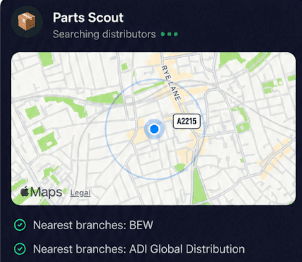
Parts Scout quickly identifies part numbers and sources replacement hardware when you need a SIGA-270 addressable manual call point, a replacement base, or an auxiliary relay while working on site, saving you time driving between local electrical distributors.
Source equipment easily
Parts Scout quickly identifies part numbers and sources replacement hardware when you need a SIGA-270 addressable manual call point, a replacement base, or an auxiliary relay while working on site, saving you time driving between local electrical distributors.

Meme Mode
Send WIN, FAIL, or HAPPY CUSTOMER memes to colleagues to celebrate when you clear a stubborn earth fault on an EST4 platform or share a laugh after spending hours in a damp riser cupboard.
Meme Mode
Send WIN, FAIL, or HAPPY CUSTOMER memes to colleagues to celebrate when you clear a stubborn earth fault on an EST4 platform or share a laugh after spending hours in a damp riser cupboard.
Made by engineers for engineers
What Early Users Say
Read what some of the first test users are saying about Super Engineer
Love the speed it finds answers from manuals. Especially on older more obscure equipment

Brendan
Security Engineer
Love the speed it finds answers from manuals. Especially on older more obscure equipment
Brendan
Security Engineer
We especially like the fact we can upload our specific company settings - as engineers are always forgetting them!

Alessandro
Company owner
We especially like the fact we can upload our specific company settings - as engineers are always forgetting them!
Alessandro
Company owner
We've uploaded all our support docs to the Brain so engineers don't have to call me all the time

David
Tech support manager
We've uploaded all our support docs to the Brain so engineers don't have to call me all the time
David
Tech support manager
Finish jobs faster
Smarter troubleshooting for Edwards fire alarms
Smarter troubleshooting for Edwards fire alarms
Whether it’s handling a new piece of equipment, finding you that perfect morning snack or sourcing a missing piece of kit, Super Engineer’s AI makes your life easier & makes you smarter.
Includes our Get Home Early Guarantee ;-)
Whether it’s handling a new piece of equipment, finding you that perfect morning snack or sourcing a missing piece of kit, Super Engineer’s AI makes your life easier & makes you smarter.
Includes our Get Home Early Guarantee ;-)
