


Instant Technical AI Answers for GJD Equipment
The AI assistant giving security technicians fast answers on D-TECT External Motion Detectors (Wired & IP) and Opal & Elite External PIR Range hardware.
Free to try

Supporting GJD motion detectors, lighting controllers and intruder systems on site










AI technical help
Solve GJD faults faster on site
Get accurate guidance drawn from instruction manuals and trade knowledge across D-TECT External Motion Detectors (Wired & IP), the Opal & Elite External PIR Range, and Security Lighting & Intruder Controllers.

Fast on-site answers
Diagnose tamper faults or beam alignment problems on a D-TECT 2 dual-PIR detector or an ELITE external unit without waiting on phone support queues. Super Engineer delivers clear, concise technical advice while you are up a ladder on site, helping you resolve tricky perimeter detection issues and complete the visit smoothly.
Fast on-site answers
Diagnose tamper faults or beam alignment problems on a D-TECT 2 dual-PIR detector or an ELITE external unit without waiting on phone support queues. Super Engineer delivers clear, concise technical advice while you are up a ladder on site, helping you resolve tricky perimeter detection issues and complete the visit smoothly.
Fast on-site answers
Diagnose tamper faults or beam alignment problems on a D-TECT 2 dual-PIR detector or an ELITE external unit without waiting on phone support queues. Super Engineer delivers clear, concise technical advice while you are up a ladder on site, helping you resolve tricky perimeter detection issues and complete the visit smoothly.

Manual page citations
Review page-specific citations drawn from manufacturer documentation for your D-TECT 3 dual-technology detector or Emerald 3000 MK3 controller. When you need to confirm wiring layouts or dip switch settings on your phone, Super Engineer points you straight to the relevant booklet pages so you can cross-check findings with total confidence.
Manual page citations
Review page-specific citations drawn from manufacturer documentation for your D-TECT 3 dual-technology detector or Emerald 3000 MK3 controller. When you need to confirm wiring layouts or dip switch settings on your phone, Super Engineer points you straight to the relevant booklet pages so you can cross-check findings with total confidence.
Manual page citations
Review page-specific citations drawn from manufacturer documentation for your D-TECT 3 dual-technology detector or Emerald 3000 MK3 controller. When you need to confirm wiring layouts or dip switch settings on your phone, Super Engineer points you straight to the relevant booklet pages so you can cross-check findings with total confidence.
D-TECT 2 fault-finding
Opal XL detector servicing
DygiZone® controller setup
D-TECT 2 IP diagnostics
D-TECT 2 fault-finding
Opal XL detector servicing
DygiZone® controller setup
D-TECT 2 IP diagnostics
D-TECT 2 fault-finding
Opal XL detector servicing
DygiZone® controller setup
D-TECT 2 IP diagnostics
Emerald 3000 MK3 help
ELITE external detector checks
Mini Opal sensor replacement
4 Zone Expansion servicing
Emerald 3000 MK3 help
ELITE external detector checks
Mini Opal sensor replacement
4 Zone Expansion servicing
Emerald 3000 MK3 help
ELITE external detector checks
Mini Opal sensor replacement
4 Zone Expansion servicing
AI trade tools
Built for security technicians
Cut diagnostic time and streamline your daily servicing across commercial and domestic intruder perimeter installations using dedicated mobile AI tools designed specifically for the field technician.
Accurate Answers
Get detailed guidance for your D-TECT 50 or Mini Opal, backed by page-specific manual citations and trade references. You can resolve tricky detection zone issues or pulse count queries without wading through thick printed booklets, giving you practical answers while working outdoors on commercial perimeters.
Accurate Answers
Get detailed guidance for your D-TECT 50 or Mini Opal, backed by page-specific manual citations and trade references. You can resolve tricky detection zone issues or pulse count queries without wading through thick printed booklets, giving you practical answers while working outdoors on commercial perimeters.
Personalized to you
Tailor guidance to your trade, region, and location when commissioning a DygiZone® digital lighting controller. Add your company practices and notes into your Private Brain while checking that your outdoor detection setups align with local codes for your area, helping each technician maintain consistent quality across every customer visit.
Personalized to you
Tailor guidance to your trade, region, and location when commissioning a DygiZone® digital lighting controller. Add your company practices and notes into your Private Brain while checking that your outdoor detection setups align with local codes for your area, helping each technician maintain consistent quality across every customer visit.
Improve your skills
Use Coach to sharpen your understanding of outdoor detection equipment like the D-TECT 2 IP. Receive regular bite-sized technical refreshers on your phone to keep your perimeter security skills sharp between site appointments, building deeper knowledge of IP-linked motion detectors, bracket positioning, and false-alarm prevention while you travel between jobs.
Improve your skills
Use Coach to sharpen your understanding of outdoor detection equipment like the D-TECT 2 IP. Receive regular bite-sized technical refreshers on your phone to keep your perimeter security skills sharp between site appointments, building deeper knowledge of IP-linked motion detectors, bracket positioning, and false-alarm prevention while you travel between jobs.
Site Lock
Lock your session to a client premises to save installed hardware lists, such as an Emerald 3000 MK3 controller and Opal RFX wireless sensors. Technical queries and notes remain organised under that specific property, ensuring you have previous diagnostic history instantly accessible on your next annual maintenance call.
Site Lock
Lock your session to a client premises to save installed hardware lists, such as an Emerald 3000 MK3 controller and Opal RFX wireless sensors. Technical queries and notes remain organised under that specific property, ensuring you have previous diagnostic history instantly accessible on your next annual maintenance call.
Ninja Mode
Tackle intricate multi-device faults where a 4 Zone Expansion Unit connects to multiple D-TECT 3 external detectors. Ninja Mode deploys multiple AI agents simultaneously to isolate intermittent trigger faults, relay conflicts, and power drops across interconnected security kit, helping you resolve complex site issues far faster.
Ninja Mode
Tackle intricate multi-device faults where a 4 Zone Expansion Unit connects to multiple D-TECT 3 external detectors. Ninja Mode deploys multiple AI agents simultaneously to isolate intermittent trigger faults, relay conflicts, and power drops across interconnected security kit, helping you resolve complex site issues far faster.
Notes
Speak directly into your mobile phone while servicing an Opal XL or ELITE detector and take photos of your physical installation. The app automatically drafts structured job sheets, site handover summaries, and client service reports ready to share, eliminating tedious paperwork when packing away your tools at the van.
Notes
Speak directly into your mobile phone while servicing an Opal XL or ELITE detector and take photos of your physical installation. The app automatically drafts structured job sheets, site handover summaries, and client service reports ready to share, eliminating tedious paperwork when packing away your tools at the van.
Rapid fault isolation
Cites manual pages
Works across teams
Transparent Pricing, No Surprises
Flexible Plans for All
Choose a plan to speed up your daily security maintenance and fault-finding calls.
Monthly
Yearly
2 months free
Free
$0
user/month
Try it on your next job
500 credits / one-off
ALL industry sectors (knowledge-base)
Custom knowledge upload (with limit)
Ninja Mode (advanced problem solver)
Meme Mode ;-)
Solo
$20
user/month + tax
Fix it solo. Fix it right.
5,000 credits / month*
ALL industry sectors (knowledge-base)
Ninja Mode for tough faults
Rocket Fuel Agents for parts and kit
Share to the Community Brain
Job notes
Meme Mode ;-)
Pro
Popular
$35
user/month + tax
Everything in Solo, plus:
10,000 credits / month*
Private Brain for your own data
Answers from your private Brain
Site Lock for your sites and kit
Custom branding
Daily Coach
10x manual uploads
Coming soon: analytics, API, bulk export
Monthly
Yearly
2 months free
Free
$0
user/month
Try it on your next job
500 credits / one-off
ALL industry sectors (knowledge-base)
Custom knowledge upload (with limit)
Ninja Mode (advanced problem solver)
Meme Mode ;-)
Solo
$20
user/month + tax
Fix it solo. Fix it right.
5,000 credits / month*
ALL industry sectors (knowledge-base)
Ninja Mode for tough faults
Rocket Fuel Agents for parts and kit
Share to the Community Brain
Job notes
Meme Mode ;-)
Pro
Popular
$35
user/month + tax
Everything in Solo, plus:
10,000 credits / month*
Private Brain for your own data
Answers from your private Brain
Site Lock for your sites and kit
Custom branding
Daily Coach
10x manual uploads
Coming soon: analytics, API, bulk export
The future - NOW!
Vision XR
Be the first to access 'Vision XR' - the AI Tech Assistant glasses from Super Engineer

Vision XR
Trial our special AI Glasses designed for tradesmen (coming soon!). The perfect accessory for any tradesman, giving them technical instructions via visual (Head Up Display) & audio (earpiece).
Vision XR
Trial our special AI Glasses designed for tradesmen (coming soon!). The perfect accessory for any tradesman, giving them technical instructions via visual (Head Up Display) & audio (earpiece).
Common queries
GJD questions answered
Everything you need to know about using Super Engineer on site.
Which GJD equipment does Super Engineer cover?
Super Engineer covers key ranges across outdoor detection and perimeter lighting control. Supported models include: D-TECT External Motion Detectors (Wired & IP), such as the D-TECT 2 external dual-PIR motion detector • D-TECT 3 external dual-technology detector • D-TECT 50 long-range external motion detector • D-TECT 2 IP Internet Protocol external quad-PIR detector. It also supports the Opal & Elite External PIR Range, including the Opal XL external PIR detector • ELITE external PIR detector • Mini Opal compact external PIR sensor • Opal RFX battery-powered wireless external motion sensor. In addition, you get help for Security Lighting & Intruder Controllers, featuring the Emerald 3000 MK3 dual-zone security lighting controller • DygiZone® digital lighting controller • 4 Zone Expansion Unit expansion unit • Solitaire Expansion Unit legacy expansion module. These examples represent only a fraction of the full library, as the Super Engineer app covers many more GJD models across the wider security catalogue.
Is Super Engineer affiliated with GJD?
No. Super Engineer is an independent technical platform developed to assist trade professionals on site, and it is neither affiliated with, supported by, nor endorsed by GJD. All brand names, product models, and trademarks belong solely to their respective manufacturer, meaning our software serves strictly as an aftermarket reference tool for the security technician maintaining external detection systems and perimeter lighting on customer properties. Drawing practical insights from published instruction manuals, professional trade discussions, and online video guides, the app provides fast access to page citations for hardware like the D-TECT 2 external dual-PIR motion detector or DygiZone® digital lighting controller so you can solve problems on the job without relying on manufacturer telephone helplines.
Can Super Engineer assist with GJD maintenance and installation?
Yes, Super Engineer supports security technicians across each phase of equipment installation, routine preventative servicing, emergency fault-finding callouts, and comprehensive perimeter upgrades. Whether you are completing a fresh install of a D-TECT 2 external dual-PIR motion detector, servicing a perimeter protected by an Opal XL external PIR detector, or attending an urgent callout for an ELITE external PIR detector, the platform delivers prompt troubleshooting guidance directly to your phone. When carrying out system modernisation using a DygiZone® digital lighting controller or adding an Opal RFX battery-powered wireless external motion sensor, you can instantly consult manual citations, review detection coverage geometry, and check controller input terminations without leaving the ladder.
Does Super Engineer support legacy GJD controller hardware?
Yes, Super Engineer provides full diagnostic support for older and legacy GJD hardware lines that you encounter during maintenance visits on older properties. If you are called out to service a site featuring a Solitaire Expansion Unit legacy expansion module or an established Emerald 3000 MK3 dual-zone security lighting controller, the platform can retrieve relevant technical guidance and reference documentation immediately. Long-installed perimeter installations often lack printed booklets inside the control cabinet, making it difficult to remember terminal configurations, dip switch functions, or sensor loop parameters while standing in the cold. Super Engineer solves this issue by surfacing instruction manual pages and practical troubleshooting notes directly on your screen, allowing any field technician to diagnose older controller installations quickly and accurately.
How do security teams use Super Engineer on GJD sites?
Security companies deploy Super Engineer across their entire field team via our mobile application, web browser interface, WhatsApp, and Slack. When a technician inspects an expansive commercial perimeter with D-TECT 50 long-range external motion detectors or configures a 4 Zone Expansion Unit, they can query the platform using voice or text from the field. Teams use Site Lock to keep equipment inventories and site-specific wiring notes tied to customer accounts, while Private Brain stores shared company troubleshooting procedures for D-TECT 2 IP detectors and lighting controllers. Automated Notes let team members dictate handover summaries and take photos after completing jobs, generating consistent customer service sheets without spending evenings doing manual paperwork.
Which GJD equipment does Super Engineer cover?
Is Super Engineer affiliated with GJD?
Can Super Engineer assist with GJD maintenance and installation?
Does Super Engineer support legacy GJD controller hardware?
How do security teams use Super Engineer on GJD sites?
Feel free to mail us for any enquiries : team@superengineer.app
Smart additions
Extra field features
Practical tools designed to assist you during busy installation days.
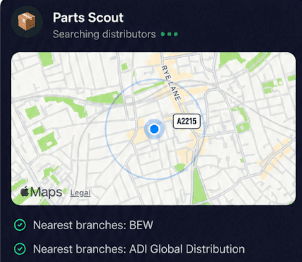
Source equipment easily
Locate replacement mounting brackets or hardware for your D-TECT 2 IP or Opal XL in moments. Parts Scout tracks down the nearest trade supplier, part numbers, and everyday consumables when you run short on site.
Source equipment easily
Locate replacement mounting brackets or hardware for your D-TECT 2 IP or Opal XL in moments. Parts Scout tracks down the nearest trade supplier, part numbers, and everyday consumables when you run short on site.

Meme Mode
Finished aligning a tricky ELITE detector or Mini Opal in heavy rain? Send a WIN, FAIL, or HAPPY CUSTOMER meme to your team group chat to celebrate sorting out a stubborn perimeter job.
Meme Mode
Finished aligning a tricky ELITE detector or Mini Opal in heavy rain? Send a WIN, FAIL, or HAPPY CUSTOMER meme to your team group chat to celebrate sorting out a stubborn perimeter job.
Made by engineers for engineers
What Early Users Say
Read what some of the first test users are saying about Super Engineer
Love the speed it finds answers from manuals. Especially on older more obscure equipment

Brendan
Security Engineer
Love the speed it finds answers from manuals. Especially on older more obscure equipment
Brendan
Security Engineer
We especially like the fact we can upload our specific company settings - as engineers are always forgetting them!

Alessandro
Company owner
We especially like the fact we can upload our specific company settings - as engineers are always forgetting them!
Alessandro
Company owner
We've uploaded all our support docs to the Brain so engineers don't have to call me all the time

David
Tech support manager
We've uploaded all our support docs to the Brain so engineers don't have to call me all the time
David
Tech support manager
Work smarter today
Faster GJD troubleshooting in your pocket
Faster GJD troubleshooting in your pocket
Whether it’s handling a new piece of equipment, finding you that perfect morning snack or sourcing a missing piece of kit, Super Engineer’s AI makes your life easier & makes you smarter.
Includes our Get Home Early Guarantee ;-)
Whether it’s handling a new piece of equipment, finding you that perfect morning snack or sourcing a missing piece of kit, Super Engineer’s AI makes your life easier & makes you smarter.
Includes our Get Home Early Guarantee ;-)
