


Heatmiser Support Built For Heating Technicians
The dedicated AI assistant helping every technician service, wire, and commission Heatmiser heating controls across the neo Series and Slimline Series without waiting on tech support.
Free to try

Support across Heatmiser neo Series, Slimline Series, and Touch Series controls










AI Heating Support
Solve Heatmiser Jobs Fast
Access technical guidance direct from instruction manuals covering the neo Series, Slimline Series, and Touch Series heating controls. Diagnose faults and finish heating call-outs without delay.

Fast On-Site Guidance
Get rapid technical answers when servicing a neoStat or setting up zones on a Slimline-RF. Super Engineer gives you clear troubleshooting advice right at the heating manifold or boiler, so you never get stuck searching.
Fast On-Site Guidance
Get rapid technical answers when servicing a neoStat or setting up zones on a Slimline-RF. Super Engineer gives you clear troubleshooting advice right at the heating manifold or boiler, so you never get stuck searching.
Fast On-Site Guidance
Get rapid technical answers when servicing a neoStat or setting up zones on a Slimline-RF. Super Engineer gives you clear troubleshooting advice right at the heating manifold or boiler, so you never get stuck searching.

Direct Manual Citations
Super Engineer points you directly to page-referenced diagrams and wiring details in documentation for models like the Touch-e and Slimline-e. You can double-check your setup details against manufacturer instruction manuals before leaving site, ensuring you resolve your heating queries without calling helpline queues.
Direct Manual Citations
Super Engineer points you directly to page-referenced diagrams and wiring details in documentation for models like the Touch-e and Slimline-e. You can double-check your setup details against manufacturer instruction manuals before leaving site, ensuring you resolve your heating queries without calling helpline queues.
Direct Manual Citations
Super Engineer points you directly to page-referenced diagrams and wiring details in documentation for models like the Touch-e and Slimline-e. You can double-check your setup details against manufacturer instruction manuals before leaving site, ensuring you resolve your heating queries without calling helpline queues.
neoStat commissioning
neoAir wireless pairing
Slimline-RF fault-finding
Touch-e electric heating
neoStat commissioning
neoAir wireless pairing
Slimline-RF fault-finding
Touch-e electric heating
neoStat commissioning
neoAir wireless pairing
Slimline-RF fault-finding
Touch-e electric heating
neoHub network setup
Slimline-B maintenance
Touch touchscreen servicing
neoStat-e troubleshooting
neoHub network setup
Slimline-B maintenance
Touch touchscreen servicing
neoStat-e troubleshooting
neoHub network setup
Slimline-B maintenance
Touch touchscreen servicing
neoStat-e troubleshooting
Smart AI Toolkit
Built For Heating Call-Outs
Put specialised heating intelligence to work on every call-out, helping you diagnose zone wiring, central heating schedules, and internet gateway connectivity much faster while on site.
Accurate Answers
Tackle tricky thermostat diagnostics with manual citations for the neoStat or neoAir. Super Engineer points you directly to relevant manual pages and technical references so you can solve zone faults without guesswork when kneeling by a manifold or balancing heating controls.
Accurate Answers
Tackle tricky thermostat diagnostics with manual citations for the neoStat or neoAir. Super Engineer points you directly to relevant manual pages and technical references so you can solve zone faults without guesswork when kneeling by a manifold or balancing heating controls.
Personalized to you
Tailor guidance to your trade, region, and local installation practice. Whether configuring a Touch-e or a Slimline unit, Super Engineer provides customised technical advice that checks compliance with local standards for your chosen location, helping you complete every heating job properly.
Personalized to you
Tailor guidance to your trade, region, and local installation practice. Whether configuring a Touch-e or a Slimline unit, Super Engineer provides customised technical advice that checks compliance with local standards for your chosen location, helping you complete every heating job properly.
Improve your skills
Improve your diagnostic capability across modern heating controls. Daily Coach delivers regular bite-sized technical training on products like the neoHub and Slimline-B, helping every heating technician stay sharp on commissioning routines, sensor testing, and zone setup between call-outs.
Improve your skills
Improve your diagnostic capability across modern heating controls. Daily Coach delivers regular bite-sized technical training on products like the neoHub and Slimline-B, helping every heating technician stay sharp on commissioning routines, sensor testing, and zone setup between call-outs.
Site Lock
Lock your technical queries to a specific residential or commercial property. Save equipment lists featuring the neoStat-e or Touch-Carbon so returning technicians instantly see past zone configurations, wiring notes, and previous service history whenever they revisit the property.
Site Lock
Lock your technical queries to a specific residential or commercial property. Save equipment lists featuring the neoStat-e or Touch-Carbon so returning technicians instantly see past zone configurations, wiring notes, and previous service history whenever they revisit the property.
Ninja Mode
Solve complicated multi-zone heating failures involving multiple controls. Ninja Mode coordinates multiple agents at once to diagnose complex issues spanning a neoHub gateway, wireless neoAir thermostats, and external multi-zone wiring centres simultaneously when standard checks do not reveal the root cause.
Ninja Mode
Solve complicated multi-zone heating failures involving multiple controls. Ninja Mode coordinates multiple agents at once to diagnose complex issues spanning a neoHub gateway, wireless neoAir thermostats, and external multi-zone wiring centres simultaneously when standard checks do not reveal the root cause.
Notes
Save valuable admin time in plant rooms and boiler cupboards. Simply speak your observations aloud while photographing a newly mounted Slimline-RF or Touch unit, and the AI automatically generates complete, professional site handover notes ready to share with your customers.
Notes
Save valuable admin time in plant rooms and boiler cupboards. Simply speak your observations aloud while photographing a newly mounted Slimline-RF or Touch unit, and the AI automatically generates complete, professional site handover notes ready to share with your customers.
Rapid Answers
Zero Admin
Plant-Room Ready
Transparent Pricing, No Surprises
Flexible Plans for All
Pick a plan suited to your heating business and scale smoothly as your team expands.
Monthly
Yearly
2 months free
Free
$0
user/month
Try it on your next job
500 credits / one-off
ALL industry sectors (knowledge-base)
Custom knowledge upload (with limit)
Ninja Mode (advanced problem solver)
Meme Mode ;-)
Solo
$20
user/month + tax
Fix it solo. Fix it right.
5,000 credits / month*
ALL industry sectors (knowledge-base)
Ninja Mode for tough faults
Rocket Fuel Agents for parts and kit
Share to the Community Brain
Job notes
Meme Mode ;-)
Pro
Popular
$35
user/month + tax
Everything in Solo, plus:
10,000 credits / month*
Private Brain for your own data
Answers from your private Brain
Site Lock for your sites and kit
Custom branding
Daily Coach
10x manual uploads
Coming soon: analytics, API, bulk export
Monthly
Yearly
2 months free
Free
$0
user/month
Try it on your next job
500 credits / one-off
ALL industry sectors (knowledge-base)
Custom knowledge upload (with limit)
Ninja Mode (advanced problem solver)
Meme Mode ;-)
Solo
$20
user/month + tax
Fix it solo. Fix it right.
5,000 credits / month*
ALL industry sectors (knowledge-base)
Ninja Mode for tough faults
Rocket Fuel Agents for parts and kit
Share to the Community Brain
Job notes
Meme Mode ;-)
Pro
Popular
$35
user/month + tax
Everything in Solo, plus:
10,000 credits / month*
Private Brain for your own data
Answers from your private Brain
Site Lock for your sites and kit
Custom branding
Daily Coach
10x manual uploads
Coming soon: analytics, API, bulk export
The future - NOW!
Vision XR
Be the first to access 'Vision XR' - the AI Tech Assistant glasses from Super Engineer

Vision XR
Trial our special AI Glasses designed for tradesmen (coming soon!). The perfect accessory for any tradesman, giving them technical instructions via visual (Head Up Display) & audio (earpiece).
Vision XR
Trial our special AI Glasses designed for tradesmen (coming soon!). The perfect accessory for any tradesman, giving them technical instructions via visual (Head Up Display) & audio (earpiece).
Technician FAQs
Heatmiser Technical Queries
Common questions about using Super Engineer on Heatmiser heating controls.
Which Heatmiser equipment does Super Engineer cover?
Super Engineer covers heating controls across the manufacturer's key product ranges. Within the neo Series, it supports the neoStat mains-powered smart programmable room thermostat • the neoAir battery-powered wireless smart thermostat • the neoStat-e mains-powered smart thermostat for electric underfloor heating • and the neoHub central internet gateway handling up to 32 zones. Within the Slimline Series, it covers the Slimline flush-mount digital programmable room thermostat • the Slimline-e digital programmable thermostat for electric underfloor heating • the Slimline-RF battery-powered wireless programmable thermostat • and the Slimline-B battery-powered wired programmable thermostat. For the Touch Series, it includes the Touch mains-powered flush-mount touchscreen programmable room thermostat • the Touch-e touchscreen programmable thermostat for electric floor heating • the Touch-RF wireless battery-operated touchscreen thermostat • and the Touch-Carbon touchscreen programmable thermostat. These are only examples — the Super Engineer app covers many more Heatmiser models.
Is Super Engineer affiliated with Heatmiser?
No. Super Engineer is an independent technical tool built to assist heating technicians in the field. We have no affiliation, sponsorship, endorsement, or commercial relationship with Heatmiser. Any references to Heatmiser equipment — such as the neoStat mains-powered smart programmable room thermostat, the neoHub central internet gateway, the battery-powered Slimline-RF, or the Touch touchscreen programmable thermostat — are purely to identify the controls our users install and maintain. All trademarks, registered designs, and brand names belong entirely to their respective owners. Super Engineer works by combining public instruction manuals, forum discussions, and heating trade guidance into an AI assistant, delivering page-specific manual citations so technicians can solve heating faults on site without waiting on phone support.
How does Super Engineer assist with Heatmiser installs and upgrades?
Super Engineer assists technicians through every phase of heating control jobs, from first fix through to complex diagnostics. When upgrading an older thermostat to a neoStat mains-powered smart programmable room thermostat, the assistant helps verify zone configuration and terminal functions • on wireless jobs using the neoAir battery-powered wireless smart thermostat, it provides guidance for pairing with receivers and configuring radiator or underfloor heating modes • when commissioning a neoHub central internet gateway, it guides you through connecting up to 32 zones across mesh networking • during servicing of a Slimline-RF battery-powered wireless programmable thermostat, it helps check communication with remote sensors up to 20 meters away • and when fault-finding an electric floor heating call with a Touch-e touchscreen programmable thermostat, it points you to the correct diagnostic steps in the manual. Whether carrying out new installations, routine servicing, or retrofits, technicians get immediate guidance without delay.
Can Super Engineer assist with older or existing Heatmiser installations?
Yes, technicians frequently encounter existing or legacy heating controls during call-outs and heating servicing visits. Super Engineer provides manual references and diagnostic support across older hardware, including the Slimline flush-mount digital programmable room thermostat • the Slimline-e digital programmable thermostat used for electric underfloor heating • and the Slimline-B battery-powered wired programmable thermostat with white LCD. If you are troubleshooting an older installation where room sensors are disconnected, heating actuators fail to respond, or time clocks need resetting, the app references instruction manuals to help you understand original operating behaviours. When a homeowner wants an upgrade, Super Engineer assists technicians in assessing wiring arrangements before replacing older wall units with a modern neoAir wireless thermostat or a Touch touchscreen unit. This ensures you can confidently service, fault-find, or replace legacy heating controls without wasting time searching for archived documentation.
How does a heating team use Super Engineer on Heatmiser call-outs?
Heating teams use Super Engineer across their daily workflow to maintain high service standards, reduce downtime, and cut back on repeated technical support calls. When a junior technician is wiring a neoStat-e mains-powered smart thermostat or setting up multiple zones on a neoHub central internet gateway, they can query the system directly via WhatsApp, mobile app, or Slack. Senior technicians and supervisors use Site Lock to catalog heating controls across specific commercial sites or apartment blocks, recording whether properties use a Touch-RF wireless battery-operated touchscreen thermostat or a Slimline-B wired unit. This shared equipment record ensures any colleague attending a subsequent maintenance visit has full visibility of previous notes and configurations. In addition, workspaces allow teams to pool troubleshooting experiences on units like the neoAir or Slimline-e, ensuring consistent diagnostics across domestic heating call-outs and commercial plant-room maintenance.
Which Heatmiser equipment does Super Engineer cover?
Is Super Engineer affiliated with Heatmiser?
How does Super Engineer assist with Heatmiser installs and upgrades?
Can Super Engineer assist with older or existing Heatmiser installations?
How does a heating team use Super Engineer on Heatmiser call-outs?
Feel free to mail us for any enquiries : team@superengineer.app
Extra Features
Field Tools
Helpful extra tools designed for busy heating technicians on call-outs.
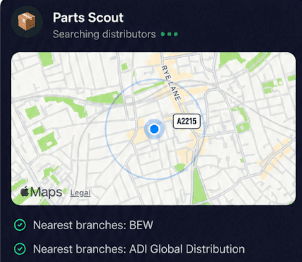
Source equipment easily
Running low on actuators or looking for a replacement neoStat or Slimline-RF? Parts Scout quickly identifies the part number and sources the nearest merchant with stock, keeping your heating install on schedule.
Source equipment easily
Running low on actuators or looking for a replacement neoStat or Slimline-RF? Parts Scout quickly identifies the part number and sources the nearest merchant with stock, keeping your heating install on schedule.
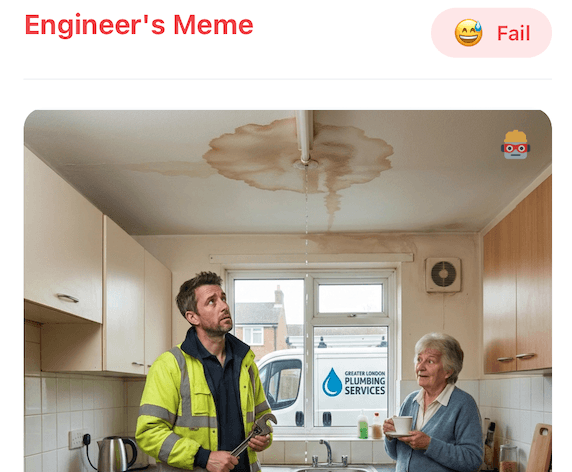
Meme Mode
Sorted out a nightmare plant-room wiring issue on a Touch-RF or finally got a neoHub communicating? Send WIN or HAPPY CUSTOMER memes to the team group chat to celebrate getting the job wrapped up.
Meme Mode
Sorted out a nightmare plant-room wiring issue on a Touch-RF or finally got a neoHub communicating? Send WIN or HAPPY CUSTOMER memes to the team group chat to celebrate getting the job wrapped up.
Made by engineers for engineers
What Early Users Say
Read what some of the first test users are saying about Super Engineer
Love the speed it finds answers from manuals. Especially on older more obscure equipment

Brendan
Security Engineer
Love the speed it finds answers from manuals. Especially on older more obscure equipment
Brendan
Security Engineer
We especially like the fact we can upload our specific company settings - as engineers are always forgetting them!

Alessandro
Company owner
We especially like the fact we can upload our specific company settings - as engineers are always forgetting them!
Alessandro
Company owner
We've uploaded all our support docs to the Brain so engineers don't have to call me all the time

David
Tech support manager
We've uploaded all our support docs to the Brain so engineers don't have to call me all the time
David
Tech support manager
Built For Heating
Smarter Heatmiser Support In Your Pocket
Smarter Heatmiser Support In Your Pocket
Whether it’s handling a new piece of equipment, finding you that perfect morning snack or sourcing a missing piece of kit, Super Engineer’s AI makes your life easier & makes you smarter.
Includes our Get Home Early Guarantee ;-)
Whether it’s handling a new piece of equipment, finding you that perfect morning snack or sourcing a missing piece of kit, Super Engineer’s AI makes your life easier & makes you smarter.
Includes our Get Home Early Guarantee ;-)
