


Technical Superpowers for HKC Alarm Technicians
The AI assistant giving security technicians instant technical support across HKC Hybrid Control Panels (SW Series) and SecureWave Wireless Detectors on every installation and service visit.
Free to try

Expert help across HKC Hybrid Control Panels and SecureHub wireless systems










AI-powered help
Solve HKC panel issues fast
Get fast information drawn from HKC instruction manuals and expert trade knowledge to answer your technical queries across Hybrid Control Panels (SW Series) and Quantum & SecureHub Series wireless panels.

Accurate answers on site
Get clear answers when troubleshooting a power fault on a SW 10270 hybrid control panel or configuring backup communication on a SecureHub. No need to wait on technical support or flick through paper documentation while standing in front of a customer.
Accurate answers on site
Get clear answers when troubleshooting a power fault on a SW 10270 hybrid control panel or configuring backup communication on a SecureHub. No need to wait on technical support or flick through paper documentation while standing in front of a customer.
Accurate answers on site
Get clear answers when troubleshooting a power fault on a SW 10270 hybrid control panel or configuring backup communication on a SecureHub. No need to wait on technical support or flick through paper documentation while standing in front of a customer.

Instruction manual sources
Super Engineer links its answers straight to relevant HKC manual pages. Whether you are servicing a commercial SW 20140 panel or setting up an RF-Keypad with a Quantum 70 wireless control panel, you can check manufacturer details immediately on your screen.
Instruction manual sources
Super Engineer links its answers straight to relevant HKC manual pages. Whether you are servicing a commercial SW 20140 panel or setting up an RF-Keypad with a Quantum 70 wireless control panel, you can check manufacturer details immediately on your screen.
Instruction manual sources
Super Engineer links its answers straight to relevant HKC manual pages. Whether you are servicing a commercial SW 20140 panel or setting up an RF-Keypad with a Quantum 70 wireless control panel, you can check manufacturer details immediately on your screen.
SW 10270 fault-finding
SecureHub communication setup
RF-PIR detector troubleshooting
Quantum 70 wireless servicing
SW 10270 fault-finding
SecureHub communication setup
RF-PIR detector troubleshooting
Quantum 70 wireless servicing
SW 10270 fault-finding
SecureHub communication setup
RF-PIR detector troubleshooting
Quantum 70 wireless servicing
Touch Keypad (Prox) diagnostics
SW 20140 commercial maintenance
RF-SABB external sounder checks
SecureWatch 8/12 panel upgrades
Touch Keypad (Prox) diagnostics
SW 20140 commercial maintenance
RF-SABB external sounder checks
SecureWatch 8/12 panel upgrades
Touch Keypad (Prox) diagnostics
SW 20140 commercial maintenance
RF-SABB external sounder checks
SecureWatch 8/12 panel upgrades
AI toolkit
Built for security alarm technicians
Use technical AI tools designed for daily intruder alarm installation, servicing and fault-finding to tackle complex callouts and streamline routine panel maintenance.
Accurate Answers
Receive detailed technical guidance with direct HKC manual citations and video references. If you encounter zone issues on a SW 1070 hybrid control panel or wireless signal troubles with an RF-CS sensor, you get prompt answers that guide your troubleshooting on site.
Accurate Answers
Receive detailed technical guidance with direct HKC manual citations and video references. If you encounter zone issues on a SW 1070 hybrid control panel or wireless signal troubles with an RF-CS sensor, you get prompt answers that guide your troubleshooting on site.
Personalized to you
Tailor your assistant to your trade, language and location. It checks local compliance requirements as you install a SecureHub panel or connect a Slimline Keypad, and allows you to save proprietary company notes into your Private Brain for future callouts.
Personalized to you
Tailor your assistant to your trade, language and location. It checks local compliance requirements as you install a SecureHub panel or connect a Slimline Keypad, and allows you to save proprietary company notes into your Private Brain for future callouts.
Improve your skills
Activate Coach to receive regular bite-sized training on intruder systems while on the job. Refresh your skills on peripheral pairing for an RF-SABB sounder or master device addressing across the HKC SW Series without having to sit in a classroom.
Improve your skills
Activate Coach to receive regular bite-sized training on intruder systems while on the job. Refresh your skills on peripheral pairing for an RF-SABB sounder or master device addressing across the HKC SW Series without having to sit in a classroom.
Site Lock
Lock your queries to a specific customer premises using Site Lock. Store records of an installed SW 20140 panel, connected Touch Keypad (Prox) units and wireless sensors so any visiting technician has the full system history ready on return visits.
Site Lock
Lock your queries to a specific customer premises using Site Lock. Store records of an installed SW 20140 panel, connected Touch Keypad (Prox) units and wireless sensors so any visiting technician has the full system history ready on return visits.
Ninja Mode
Engage Ninja Mode when faced with multiple elusive faults across different pieces of equipment. When a Quantum 70 panel reports intermittent tamper alerts alongside wireless RF-PIR issues, multiple AI agents analyse the scenario together to pinpoint the underlying cause.
Ninja Mode
Engage Ninja Mode when faced with multiple elusive faults across different pieces of equipment. When a Quantum 70 panel reports intermittent tamper alerts alongside wireless RF-PIR issues, multiple AI agents analyse the scenario together to pinpoint the underlying cause.
Notes
Never write out a tedious site report by hand again. Simply speak into the app and photograph a newly installed SW 10270 panel or SecureWatch 8/12 system, and the AI formats clear, professional job notes ready for your office and client.
Notes
Never write out a tedious site report by hand again. Simply speak into the app and photograph a newly installed SW 10270 panel or SecureWatch 8/12 system, and the AI formats clear, professional job notes ready for your office and client.
Simple to use
Field-ready speed
Scales across teams
Transparent Pricing, No Surprises
Flexible Plans for All
Choose the right plan to support your HKC alarm callouts and installations.
Monthly
Yearly
2 months free
Free
$0
user/month
Try it on your next job
500 credits / one-off
ALL industry sectors (knowledge-base)
Custom knowledge upload (with limit)
Ninja Mode (advanced problem solver)
Meme Mode ;-)
Solo
$20
user/month + tax
Fix it solo. Fix it right.
5,000 credits / month*
ALL industry sectors (knowledge-base)
Ninja Mode for tough faults
Rocket Fuel Agents for parts and kit
Share to the Community Brain
Job notes
Meme Mode ;-)
Pro
Popular
$35
user/month + tax
Everything in Solo, plus:
10,000 credits / month*
Private Brain for your own data
Answers from your private Brain
Site Lock for your sites and kit
Custom branding
Daily Coach
10x manual uploads
Coming soon: analytics, API, bulk export
Monthly
Yearly
2 months free
Free
$0
user/month
Try it on your next job
500 credits / one-off
ALL industry sectors (knowledge-base)
Custom knowledge upload (with limit)
Ninja Mode (advanced problem solver)
Meme Mode ;-)
Solo
$20
user/month + tax
Fix it solo. Fix it right.
5,000 credits / month*
ALL industry sectors (knowledge-base)
Ninja Mode for tough faults
Rocket Fuel Agents for parts and kit
Share to the Community Brain
Job notes
Meme Mode ;-)
Pro
Popular
$35
user/month + tax
Everything in Solo, plus:
10,000 credits / month*
Private Brain for your own data
Answers from your private Brain
Site Lock for your sites and kit
Custom branding
Daily Coach
10x manual uploads
Coming soon: analytics, API, bulk export
The future - NOW!
Vision XR
Be the first to access 'Vision XR' - the AI Tech Assistant glasses from Super Engineer

Vision XR
Trial our special AI Glasses designed for tradesmen (coming soon!). The perfect accessory for any tradesman, giving them technical instructions via visual (Head Up Display) & audio (earpiece).
Vision XR
Trial our special AI Glasses designed for tradesmen (coming soon!). The perfect accessory for any tradesman, giving them technical instructions via visual (Head Up Display) & audio (earpiece).
Queries answered
Frequently asked questions
Helpful details about Super Engineer for alarm technicians
Which HKC intruder alarm equipment does Super Engineer cover?
Super Engineer supports technicians across the full spectrum of HKC intruder alarm products. Hybrid Control Panels (SW Series): SW 10270 hybrid control panel • SW 1070 hybrid control panel • SW 20140 commercial hybrid control panel • SecureWatch 8/12 wired control panel. Wireless Control Panels (Quantum & SecureHub Series): Quantum 70 wireless control panel • SecureHub wireless alarm panel with onboard SecureWave 2-way wireless technology, integrated 4G/LTE radio, Wi-Fi and Ethernet backup to SecureComm, and over 12 hours of backup battery power during outages. Intrusion Keypads & User Interfaces: Touch Keypad (Prox) touchscreen remote keypad • RF-Keypad wireless remote keypad • Slimline Keypad wired remote keypad. SecureWave Wireless Detectors & Peripherals: RF-CS wireless inertia shock detector and magnetic contact sensor • RF-PIR wireless passive infrared motion detector • RF-SABB wireless external sounder and strobe unit. These are only examples — the Super Engineer app covers many more HKC models.
Is Super Engineer affiliated with HKC?
No. Super Engineer is a completely independent technical tool developed to assist trade technicians working on security systems. We are not connected to, endorsed by or affiliated with HKC. All product names, trademarks and designations such as the SW 10270, SW 1070, SecureHub and RF-SABB remain the property of HKC. Super Engineer works by combining instruction manual information, technical literature and collective trade insights to help technicians resolve technical queries in the field. Our platform simply gives security technicians quick access to manufacturer documentation citations, troubleshooting guidance and equipment notes straight from their mobile devices while on site, helping reduce the time spent searching through paper manuals or waiting for telephone technical assistance.
Can Super Engineer help with HKC alarm installs and servicing?
Yes, Super Engineer supports security technicians throughout the entire lifecycle of an intruder alarm system. During new installations, it assists with setup questions for the SecureHub wireless panel, Slimline Keypad addressing, and mounting alignment for RF-PIR sensors. On maintenance and servicing visits, technicians use it to guide routine inspections on a SW 1070 panel, verify backup battery requirements on an RF-SABB external sounder, or inspect connection pathways on a Touch Keypad (Prox). When urgent fault calls arise, such as a mysterious tamper on an RF-CS shock sensor or an auxiliary power drop on a SW 20140 panel, the app suggests diagnostic checks derived straight from technical documentation. It also provides reference material when completing system upgrades from legacy panels to modern hybrid infrastructure.
Does Super Engineer assist with legacy panels like SecureWatch 8/12?
Yes, older and long-installed panels are fully supported to make life easier when you encounter unfamiliar legacy hardware. Many technicians encounter legacy SecureWatch 8/12 wired control panels on older domestic or commercial premises where paper documentation was lost years ago. Super Engineer helps you identify terminal layouts, resolve persistent loop tampers, and navigate expansion requirements without having to spend hours searching trade forums. It also assists when you need to replace dated components with modern peripherals, such as adding an RF-Keypad or transitioning zones over to a SW 10270 hybrid control panel. Having immediate access to historical specifications and wiring concepts ensures you can service older systems confidently, minimise downtime for the property owner, and complete legacy maintenance callouts smoothly.
How do security teams use Super Engineer across HKC systems?
Security installation companies and maintenance teams use Super Engineer to keep their technicians aligned across residential and commercial jobs. Junior technicians working on a SecureHub panel or mounting RF-CS inertia contacts can quickly consult the AI on standard installation queries, reducing the need to phone senior staff from the field. Meanwhile, experienced technicians tackling complex multi-zone faults on commercial SW 20140 installations use Site Lock to document system configurations, detector locations, and historical keypad faults for fellow team members. Using collaborative workspaces and Private Brain, your business can build an internal repository of site notes and operational tips across the entire HKC range. This collective knowledge ensures consistent servicing quality across your entire field operation while getting jobs finished promptly.
Which HKC intruder alarm equipment does Super Engineer cover?
Is Super Engineer affiliated with HKC?
Can Super Engineer help with HKC alarm installs and servicing?
Does Super Engineer assist with legacy panels like SecureWatch 8/12?
How do security teams use Super Engineer across HKC systems?
Feel free to mail us for any enquiries : team@superengineer.app
Extra on-site tools
Handy bonus features
Practical utilities designed to make life on the tools easier every day.
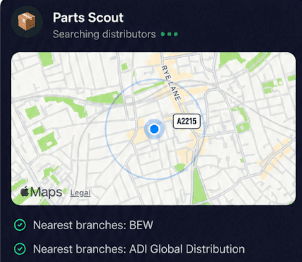
Source equipment easily
Quickly track down replacement hardware when you are out on a callout. Parts Scout helps you locate a replacement Touch Keypad (Prox), spare RF-PIR motion detectors, or specific battery packs like BAT-PKRF6V for an RF-SABB external sounder from trade distributors.
Source equipment easily
Quickly track down replacement hardware when you are out on a callout. Parts Scout helps you locate a replacement Touch Keypad (Prox), spare RF-PIR motion detectors, or specific battery packs like BAT-PKRF6V for an RF-SABB external sounder from trade distributors.

Meme Mode
Lighten up the workday after wrestling with an awkward cable pull or finally clearing that stubborn tamper on a SW 10270 panel. Meme Mode lets you share celebratory or commiserating memes with fellow technicians when a tough installation wraps up.
Meme Mode
Lighten up the workday after wrestling with an awkward cable pull or finally clearing that stubborn tamper on a SW 10270 panel. Meme Mode lets you share celebratory or commiserating memes with fellow technicians when a tough installation wraps up.
Made by engineers for engineers
What Early Users Say
Read what some of the first test users are saying about Super Engineer
Love the speed it finds answers from manuals. Especially on older more obscure equipment

Brendan
Security Engineer
Love the speed it finds answers from manuals. Especially on older more obscure equipment
Brendan
Security Engineer
We especially like the fact we can upload our specific company settings - as engineers are always forgetting them!

Alessandro
Company owner
We especially like the fact we can upload our specific company settings - as engineers are always forgetting them!
Alessandro
Company owner
We've uploaded all our support docs to the Brain so engineers don't have to call me all the time

David
Tech support manager
We've uploaded all our support docs to the Brain so engineers don't have to call me all the time
David
Tech support manager
Get home on time
Dedicated AI support for HKC alarm technicians
Dedicated AI support for HKC alarm technicians
Whether it’s handling a new piece of equipment, finding you that perfect morning snack or sourcing a missing piece of kit, Super Engineer’s AI makes your life easier & makes you smarter.
Includes our Get Home Early Guarantee ;-)
Whether it’s handling a new piece of equipment, finding you that perfect morning snack or sourcing a missing piece of kit, Super Engineer’s AI makes your life easier & makes you smarter.
Includes our Get Home Early Guarantee ;-)
