


Master Every Salus Heating Control Job
The AI assistant giving heating technicians instant technical answers on Salus RT Series and Quantum controls on site.
Free to try

Get technical help across Salus RT Series, Quantum and iT Series controls










AI heating support
Solve any Salus technical problem
Get accurate heating answers straight from manuals across the RT Series, Quantum Series, iT Series and iT600 multi-zone systems to solve on-site queries without delay.

Accurate answers - quick!
Get rapid answers on site when setting up an RT520RF or diagnosing heating faults on an SQ610RF thermostat. Solve RF receiver and boiler communication queries clearly without waiting on technical support phone lines or flipping through bulky paper booklets while a customer is waiting in the hallway.
Accurate answers - quick!
Get rapid answers on site when setting up an RT520RF or diagnosing heating faults on an SQ610RF thermostat. Solve RF receiver and boiler communication queries clearly without waiting on technical support phone lines or flipping through bulky paper booklets while a customer is waiting in the hallway.
Accurate answers - quick!
Get rapid answers on site when setting up an RT520RF or diagnosing heating faults on an SQ610RF thermostat. Solve RF receiver and boiler communication queries clearly without waiting on technical support phone lines or flipping through bulky paper booklets while a customer is waiting in the hallway.

Instruction manual sources
View direct page references pointing into manufacturer documentation for your SQ610 or iT500 controls. Confirm thermostat parameters, receiver configurations and load compensation details directly from the manufacturer manual while working in a plant room or standing in front of the customer boiler.
Instruction manual sources
View direct page references pointing into manufacturer documentation for your SQ610 or iT500 controls. Confirm thermostat parameters, receiver configurations and load compensation details directly from the manufacturer manual while working in a plant room or standing in front of the customer boiler.
Instruction manual sources
View direct page references pointing into manufacturer documentation for your SQ610 or iT500 controls. Confirm thermostat parameters, receiver configurations and load compensation details directly from the manufacturer manual while working in a plant room or standing in front of the customer boiler.
RT500RF fault-finding
SQ610RF setup advice
RT520RF thermostat help
iT500 multi-zone support
RT500RF fault-finding
SQ610RF setup advice
RT520RF thermostat help
iT500 multi-zone support
RT500RF fault-finding
SQ610RF setup advice
RT520RF thermostat help
iT500 multi-zone support
VS10WRF installation help
RT310RF pairing support
VS20WRF room controls
iT500BM boiler connections
VS10WRF installation help
RT310RF pairing support
VS20WRF room controls
iT500BM boiler connections
VS10WRF installation help
RT310RF pairing support
VS20WRF room controls
iT500BM boiler connections
Smart heating tools
Ultimate AI heating control toolkit
Use specialist AI to streamline heating fault calls, improve installation speed and keep your technical skills sharp on every Salus control job.
Accurate Answers
Receive clear technical guidance for tricky heating setups like the RT510RF+ or SQ610. Answers include relevant forum tips, video references and page-specific manual citations so you never waste time thumbing through paper booklets in front of customers.
Accurate Answers
Receive clear technical guidance for tricky heating setups like the RT510RF+ or SQ610. Answers include relevant forum tips, video references and page-specific manual citations so you never waste time thumbing through paper booklets in front of customers.
Personalized to you
Tailor guidance to your heating trade and location. When configuring an iT500BM boiler receiver or setting up multi-zone schedules, the assistant helps ensure all technical decisions align with local trade codes and regional standards for your property location.
Personalized to you
Tailor guidance to your heating trade and location. When configuring an iT500BM boiler receiver or setting up multi-zone schedules, the assistant helps ensure all technical decisions align with local trade codes and regional standards for your property location.
Improve your skills
Sharpen your knowledge of modern heating controls. Set up Coach to get bite-sized daily training on RF pairings, ITLC load compensation algorithms in the SQ610RF and advanced multi-room heating configurations before you even arrive on site.
Improve your skills
Sharpen your knowledge of modern heating controls. Set up Coach to get bite-sized daily training on RF pairings, ITLC load compensation algorithms in the SQ610RF and advanced multi-room heating configurations before you even arrive on site.
Site Lock
Save lists of installed thermostats and receivers for specific properties. If a commercial premises or domestic client uses multiple VS10WRF or VS20WRF units, lock your queries to that building so all system history remains organised in one spot.
Site Lock
Save lists of installed thermostats and receivers for specific properties. If a commercial premises or domestic client uses multiple VS10WRF or VS20WRF units, lock your queries to that building so all system history remains organised in one spot.
Ninja Mode
Tackle tricky multi-zone heating snags using Ninja Mode. When multiple issues strike an underfloor heating setup involving a VS10BRF and complex receiver channels, multiple AI agents analyse the issue simultaneously to get you moving again quickly, saving you time when facing complicated multi-room callouts.
Ninja Mode
Tackle tricky multi-zone heating snags using Ninja Mode. When multiple issues strike an underfloor heating setup involving a VS10BRF and complex receiver channels, multiple AI agents analyse the issue simultaneously to get you moving again quickly, saving you time when facing complicated multi-room callouts.
Notes
Never write a site report by hand again. After servicing an RT500RF or fitting a new RT310RF, simply speak your notes and capture photos. The AI drafts a clean, professional job report ready to hand over or file.
Notes
Never write a site report by hand again. After servicing an RT500RF or fitting a new RT310RF, simply speak your notes and capture photos. The AI drafts a clean, professional job report ready to hand over or file.
Easy to use
Heating specific
Scalable for teams
Transparent Pricing, No Surprises
Flexible Plans for All
Choose a plan that fits your heating business and scale smoothly as your team grows.
Monthly
Yearly
2 months free
Free
$0
user/month
Try it on your next job
500 credits / one-off
ALL industry sectors (knowledge-base)
Custom knowledge upload (with limit)
Ninja Mode (advanced problem solver)
Meme Mode ;-)
Solo
$20
user/month + tax
Fix it solo. Fix it right.
5,000 credits / month*
ALL industry sectors (knowledge-base)
Ninja Mode for tough faults
Rocket Fuel Agents for parts and kit
Share to the Community Brain
Job notes
Meme Mode ;-)
Pro
Popular
$35
user/month + tax
Everything in Solo, plus:
10,000 credits / month*
Private Brain for your own data
Answers from your private Brain
Site Lock for your sites and kit
Custom branding
Daily Coach
10x manual uploads
Coming soon: analytics, API, bulk export
Monthly
Yearly
2 months free
Free
$0
user/month
Try it on your next job
500 credits / one-off
ALL industry sectors (knowledge-base)
Custom knowledge upload (with limit)
Ninja Mode (advanced problem solver)
Meme Mode ;-)
Solo
$20
user/month + tax
Fix it solo. Fix it right.
5,000 credits / month*
ALL industry sectors (knowledge-base)
Ninja Mode for tough faults
Rocket Fuel Agents for parts and kit
Share to the Community Brain
Job notes
Meme Mode ;-)
Pro
Popular
$35
user/month + tax
Everything in Solo, plus:
10,000 credits / month*
Private Brain for your own data
Answers from your private Brain
Site Lock for your sites and kit
Custom branding
Daily Coach
10x manual uploads
Coming soon: analytics, API, bulk export
The future - NOW!
Vision XR
Be the first to access 'Vision XR' - the AI Tech Assistant glasses from Super Engineer

Vision XR
Trial our special AI Glasses designed for tradesmen (coming soon!). The perfect accessory for any tradesman, giving them technical instructions via visual (Head Up Display) & audio (earpiece).
Vision XR
Trial our special AI Glasses designed for tradesmen (coming soon!). The perfect accessory for any tradesman, giving them technical instructions via visual (Head Up Display) & audio (earpiece).
Heating FAQs
Salus questions answered
Clear guidance on using Super Engineer on Salus heating equipment.
Which Salus heating controls does Super Engineer cover?
Super Engineer covers a wide selection of Salus heating equipment across key ranges. Supported products include the RT Series: RT500RF battery-powered wireless programmable room thermostat • RT510RF+ wireless programmable thermostat with 868 MHz communication • RT520RF modulating programmable thermostat with OpenTherm communication • RT310RF non-programmable digital wireless thermostat pre-paired with an RXRT510 receiver. It covers the Quantum Series: SQ610 wired slimline thermostat featuring ITLC load compensation and ZigBee communication • SQ610RF wireless slimline thermostat. It also includes the iT Series: iT500 touchscreen internet thermostat with 868 MHz RF communication • iT300 wireless remote temperature sensor for adding a second zone • iT500BM integrated plug-in boiler receiver compatible with heating and hot water. For multi-zone and underfloor heating, it supports the VS10WRF flush-mount 230V digital thermostat • VS10BRF flush-mount digital thermostat • VS20WRF surface-mounted battery-powered wireless digital room thermostat. These are only examples — the Super Engineer app covers many more Salus models.
Is Super Engineer affiliated with Salus?
No. Super Engineer is completely independent. It is a specialised AI assistant built to help heating technicians install, service and troubleshoot controls from various manufacturers on site. It has no partnership, affiliation, endorsement or commercial relationship with Salus Controls. All product names, trademarks and model designations—such as the RT Series, Quantum Series, iT Series and iT600 controls—remain the property of their respective owners. Technicians use Super Engineer as an on-the-job companion that retrieves relevant manufacturer manual pages and technical references so you can resolve installation hurdles, boiler receiver pairings and heating issues faster. By indexing widely available manufacturer documentation, industry forums and heating technical material, Super Engineer gives you clear answers without being tied to any specific brand or equipment manufacturer.
How does Super Engineer assist during Salus heating callouts?
Technicians rely on Super Engineer to support every stage of a heating callout across domestic and commercial jobs. On new installs of an RT520RF modulating programmable thermostat or an SQ610 wired slimline unit, it clarifies setup parameters and receiver wiring requirements without leaving you stranded. During routine annual servicing on an iT500 internet thermostat or a multi-room setup featuring a VS20WRF digital room thermostat, it helps identify communication dropouts between transmitters and receivers. When attending an urgent winter fault call on an RT310RF digital wireless thermostat or an SQ610RF wireless thermostat, it highlights system checks to identify why a zone fails to call for heat. If you are handling upgrades, such as adding an iT300 sensor to an existing heating zone or installing a flush-mounted VS10WRF for underfloor control, Super Engineer delivers rapid, practical troubleshooting guidance tailored to the hardware in front of you.
Can Super Engineer assist with older Salus thermostat models?
Yes, Super Engineer supports both older legacy heating controls and contemporary digital hardware. If you are called out to service an older RT500RF battery-powered wireless programmable room thermostat or trace RF communication issues on an early RT310RF digital wireless thermostat, the app references core operating principles and manual citations to guide your checks. It also supports older multi-zone installations utilising an iT500 touchscreen internet thermostat alongside an iT300 remote temperature sensor or an iT500BM integrated plug-in boiler receiver. When you arrive at a property where original paperwork has long vanished, Super Engineer provides access to manual references for older RT Series or early smart controls. This allows technicians to diagnose faults, test receiver status and resolve room temperature issues methodically without second-guessing unfamiliar terminal designations or legacy configuration settings.
How do heating teams use Super Engineer across these Salus ranges?
Heating businesses, contractors and maintenance teams deploy Super Engineer across their entire technician roster to maintain consistent service standards on every job. Junior technicians can quickly check setup guidance for an RT510RF+ programmable thermostat or understand load compensation settings on an SQ610 slimline thermostat, avoiding unnecessary phone calls back to the office or senior staff. More experienced technicians use Site Lock to catalog complex multi-zone hardware, such as the VS10BRF and VS10WRF digital thermostats, across commercial and domestic properties they manage regularly. By sharing notes, diagnostic insights and site equipment logs across web, mobile, WhatsApp or Slack, heating teams complete calls more efficiently, keep site documentation consistent, and ensure every technician arrives fully equipped to fault-find any RT Series, Quantum or iT Series installation.
Which Salus heating controls does Super Engineer cover?
Is Super Engineer affiliated with Salus?
How does Super Engineer assist during Salus heating callouts?
Can Super Engineer assist with older Salus thermostat models?
How do heating teams use Super Engineer across these Salus ranges?
Feel free to mail us for any enquiries : team@superengineer.app
Smart Extras
Helpful extra features
Clever tools designed to support busy heating technicians on site.
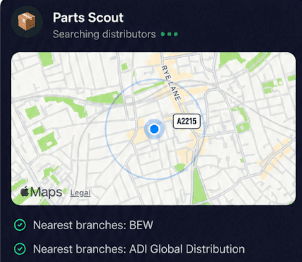
Source equipment easily
Parts Scout quickly tracks down replacement hardware when a job stalls. Whether you need a replacement iT300 sensor, an RXRT510 receiver or a fresh pack of mounting clips, find the right part number and supplier without hassle.
Source equipment easily
Parts Scout quickly tracks down replacement hardware when a job stalls. Whether you need a replacement iT300 sensor, an RXRT510 receiver or a fresh pack of mounting clips, find the right part number and supplier without hassle.

Meme Mode
Share a laugh with fellow technicians when a long day on the tools finishes. Send WIN, FAIL or HAPPY CUSTOMER memes to your team after finally conquering a stubborn multi-zone heating problem.
Meme Mode
Share a laugh with fellow technicians when a long day on the tools finishes. Send WIN, FAIL or HAPPY CUSTOMER memes to your team after finally conquering a stubborn multi-zone heating problem.
Made by engineers for engineers
What Early Users Say
Read what some of the first test users are saying about Super Engineer
Love the speed it finds answers from manuals. Especially on older more obscure equipment

Brendan
Security Engineer
Love the speed it finds answers from manuals. Especially on older more obscure equipment
Brendan
Security Engineer
We especially like the fact we can upload our specific company settings - as engineers are always forgetting them!

Alessandro
Company owner
We especially like the fact we can upload our specific company settings - as engineers are always forgetting them!
Alessandro
Company owner
We've uploaded all our support docs to the Brain so engineers don't have to call me all the time

David
Tech support manager
We've uploaded all our support docs to the Brain so engineers don't have to call me all the time
David
Tech support manager
Finish on time
Pro-Grade Heating Assistance for Everyday Technicians
Pro-Grade Heating Assistance for Everyday Technicians
Whether it’s handling a new piece of equipment, finding you that perfect morning snack or sourcing a missing piece of kit, Super Engineer’s AI makes your life easier & makes you smarter.
Includes our Get Home Early Guarantee ;-)
Whether it’s handling a new piece of equipment, finding you that perfect morning snack or sourcing a missing piece of kit, Super Engineer’s AI makes your life easier & makes you smarter.
Includes our Get Home Early Guarantee ;-)
