


Superpowers for Scope Fire Technicians
The AI assistant helping technicians install, maintain, and fault-find the PageTek Series and F-Link Series on site.
Free to try

Supporting PageTek, F-Link, and Connexions equipment across fire sites










AI-powered help
Diagnose and fix Scope kit
Get accurate technical guidance direct from instruction manuals combined with shared trade knowledge across the PageTek Series, F-Link Series, EPOC & GEO Series, and Connexions systems to solve your site queries quickly and thoroughly.

Accurate answers - quick!
Facing an alert issue on a PageTek Pro 2 or an unlinked node on an F-Link 4? Ask in plain English and receive clear troubleshooting guidance without calling tech support or reading through bulky documentation.
Accurate answers - quick!
Facing an alert issue on a PageTek Pro 2 or an unlinked node on an F-Link 4? Ask in plain English and receive clear troubleshooting guidance without calling tech support or reading through bulky documentation.
Accurate answers - quick!
Facing an alert issue on a PageTek Pro 2 or an unlinked node on an F-Link 4? Ask in plain English and receive clear troubleshooting guidance without calling tech support or reading through bulky documentation.

Instruction manual sources
Access page-specific instruction manual references to confirm setup steps on your Scope equipment. Check manufacturer documentation directly when inspecting terminal connections on a PageTek 4 transmitter or reviewing relay outputs on an F-Link XP expansion unit without leafing through paper manuals.
Instruction manual sources
Access page-specific instruction manual references to confirm setup steps on your Scope equipment. Check manufacturer documentation directly when inspecting terminal connections on a PageTek 4 transmitter or reviewing relay outputs on an F-Link XP expansion unit without leafing through paper manuals.
Instruction manual sources
Access page-specific instruction manual references to confirm setup steps on your Scope equipment. Check manufacturer documentation directly when inspecting terminal connections on a PageTek 4 transmitter or reviewing relay outputs on an F-Link XP expansion unit without leafing through paper manuals.
PageTek Pro 2 setup
F-Link 4 mesh troubleshooting
GEO40A10 Pager frequency checks
Connexions panel text integration
PageTek Pro 2 setup
F-Link 4 mesh troubleshooting
GEO40A10 Pager frequency checks
Connexions panel text integration
PageTek Pro 2 setup
F-Link 4 mesh troubleshooting
GEO40A10 Pager frequency checks
Connexions panel text integration
F-Link XP relay expansion
PageTek 4 input diagnostics
GEO87Z Pager display setup
PageTek Pro transmitter faults
F-Link XP relay expansion
PageTek 4 input diagnostics
GEO87Z Pager display setup
PageTek Pro transmitter faults
F-Link XP relay expansion
PageTek 4 input diagnostics
GEO87Z Pager display setup
PageTek Pro transmitter faults
Advanced tech
AI toolkit for technicians
Use the latest AI technologies to streamline everyday maintenance calls, routine servicing, fault-finding, and installation tasks across your Scope fire communication systems and alerting hardware on site.
Accurate Answers
Receive detailed technical guidance when working on a PageTek Pro paging transmitter. The platform references online trade resources, forum discussions, and relevant instruction manual pages so you can resolve troublesome signal issues or intermittent alert faults without waiting for manufacturer technical support on site.
Accurate Answers
Receive detailed technical guidance when working on a PageTek Pro paging transmitter. The platform references online trade resources, forum discussions, and relevant instruction manual pages so you can resolve troublesome signal issues or intermittent alert faults without waiting for manufacturer technical support on site.
Personalized to you
Choose your location, language, and trade discipline to receive customised support when working on the F-Link Series. Save company notes to your Private Brain while checking that your fire paging installation aligns with local code requirements for your specific operating area.
Personalized to you
Choose your location, language, and trade discipline to receive customised support when working on the F-Link Series. Save company notes to your Private Brain while checking that your fire paging installation aligns with local code requirements for your specific operating area.
Improve your skills
Activate Coach during planned visits to complete bite-sized on-the-job training modules across the PageTek Series. Regular practical questions help keep your fault-finding skills sharp whether you are commissioning a PageTek 2 SCPUHF or testing alerting pagers in a plant room.
Improve your skills
Activate Coach during planned visits to complete bite-sized on-the-job training modules across the PageTek Series. Regular practical questions help keep your fault-finding skills sharp whether you are commissioning a PageTek 2 SCPUHF or testing alerting pagers in a plant room.
Site Lock
Lock your session to a building when maintaining a Connexions transmitter and multiple GEO40A10 Pager units. Store equipment lists, frequency information, and past visit notes in one dedicated place so you have full site context on every return visit.
Site Lock
Lock your session to a building when maintaining a Connexions transmitter and multiple GEO40A10 Pager units. Store equipment lists, frequency information, and past visit notes in one dedicated place so you have full site context on every return visit.
Ninja Mode
Tackle complex installations using Ninja Mode when dealing with tricky multi-panel issues. Deploy multiple AI agents working simultaneously to investigate signal routing challenges between an F-Link 4 transceiver network and an interfaced F-Link XP switched relay expansion unit.
Ninja Mode
Tackle complex installations using Ninja Mode when dealing with tricky multi-panel issues. Deploy multiple AI agents working simultaneously to investigate signal routing challenges between an F-Link 4 transceiver network and an interfaced F-Link XP switched relay expansion unit.
Notes
Document installation and servicing work on an EPOC Nightstand or EPOC-BLU Responder without typing on a small screen. Talk into your phone, take site photos, and let the AI draft structured site reports and job notes ready for your customers.
Notes
Document installation and servicing work on an EPOC Nightstand or EPOC-BLU Responder without typing on a small screen. Talk into your phone, take site photos, and let the AI draft structured site reports and job notes ready for your customers.
Easy to use
Built for site
Scales across teams
Transparent Pricing, No Surprises
Flexible Plans for All
Select the plan that fits your technical workload, from solo call-outs to multi-van teams.
Monthly
Yearly
2 months free
Free
$0
user/month
Try it on your next job
500 credits / one-off
ALL industry sectors (knowledge-base)
Custom knowledge upload (with limit)
Ninja Mode (advanced problem solver)
Meme Mode ;-)
Solo
$20
user/month + tax
Fix it solo. Fix it right.
5,000 credits / month*
ALL industry sectors (knowledge-base)
Ninja Mode for tough faults
Rocket Fuel Agents for parts and kit
Share to the Community Brain
Job notes
Meme Mode ;-)
Pro
Popular
$35
user/month + tax
Everything in Solo, plus:
10,000 credits / month*
Private Brain for your own data
Answers from your private Brain
Site Lock for your sites and kit
Custom branding
Daily Coach
10x manual uploads
Coming soon: analytics, API, bulk export
Monthly
Yearly
2 months free
Free
$0
user/month
Try it on your next job
500 credits / one-off
ALL industry sectors (knowledge-base)
Custom knowledge upload (with limit)
Ninja Mode (advanced problem solver)
Meme Mode ;-)
Solo
$20
user/month + tax
Fix it solo. Fix it right.
5,000 credits / month*
ALL industry sectors (knowledge-base)
Ninja Mode for tough faults
Rocket Fuel Agents for parts and kit
Share to the Community Brain
Job notes
Meme Mode ;-)
Pro
Popular
$35
user/month + tax
Everything in Solo, plus:
10,000 credits / month*
Private Brain for your own data
Answers from your private Brain
Site Lock for your sites and kit
Custom branding
Daily Coach
10x manual uploads
Coming soon: analytics, API, bulk export
The future - NOW!
Vision XR
Be the first to access 'Vision XR' - the AI Tech Assistant glasses from Super Engineer

Vision XR
Trial our special AI Glasses designed for tradesmen (coming soon!). The perfect accessory for any tradesman, giving them technical instructions via visual (Head Up Display) & audio (earpiece).
Vision XR
Trial our special AI Glasses designed for tradesmen (coming soon!). The perfect accessory for any tradesman, giving them technical instructions via visual (Head Up Display) & audio (earpiece).
Technical queries
Questions? Answers!
Everything you need to know about Super Engineer for Scope kit.
Which Scope equipment does Super Engineer cover?
Super Engineer covers key Scope fire communication ranges. • PageTek Series: PageTek Pro 2 self-monitoring fire paging transmitter • PageTek 4 multi-input monitored transmitter • PageTek Pro paging transmitter • PageTek 2 SCPUHF entry-level transmitter kit. • F-Link Series: F-Link 4 monitored wireless transceiver with mesh technology • F-Link XP switched relay expansion unit with 15 or 30 output relays • F-Link 3 inter-building transceiver node. • EPOC & GEO Series: GEO40A10 Pager with 8 addresses and vibrate alerts • GEO87Z Pager with large display screen • EPOC Nightstand bedside cradle • EPOC-BLU Responder rechargeable alert receiver. • Connexions & Serial Interface Systems: Connexions panel text paging transmitter. These are only examples — the Super Engineer app covers many more Scope models.
Is Super Engineer affiliated with Scope?
No. Super Engineer is an independent technical assistant designed for technicians, service specialists, and installers working out in the field. We have no commercial partnership, endorsement, approval, or formal connection with Scope. Our technical platform uses our own specialised knowledge base, manufacturer instruction manuals, and public trade resources to assist technicians working on fire alarm communication and radio paging equipment. All product names, registered trademarks, and model references belong solely to their respective brand owners. The sole purpose of Super Engineer is to provide technicians working on site with quick, practical access to documentation, page-referenced manual guidance, and diagnostic assistance so they can complete their tasks smoothly without spending time waiting on telephone support queues.
Can Super Engineer assist with Scope fire installs and upgrades?
Yes. Super Engineer supports technicians through every stage of field work, including initial installations, routine preventive servicing, emergency fault calls, and system upgrades. When commissioning an F-Link 4 transceiver network across interconnected buildings, the app points you to relevant manual pages covering node setups and radio mesh configurations. If you are servicing a PageTek Pro 2 transmitter or setting up a GEO87Z Pager for fire marshals, you can reference technical details on pre-programmed inputs and alert indicators. The app also assists during system upgrades, such as expanding an F-Link XP with an additional relay board or replacing an older PageTek 4 transmitter linked to smoke detectors, providing prompt diagnostic guidance directly on your phone.
How does Super Engineer handle older or unfamiliar Scope transmitters?
Encountering older Scope hardware like an early PageTek Pro or an unfamiliar PageTek 2 SCPUHF in a plant room can slow down service calls when paper documentation is missing. Super Engineer references technical manuals and trade knowledge to deliver relevant guidance for legacy equipment without delay. You can query input trigger connections on older PageTek transmitters, check channel configurations, or review how an installed Connexions paging transmitter interfaces with fire alarm control panels. Whether you need to troubleshoot an established F-Link 3 inter-building link or reconfigure an existing GEO40A10 Pager on site, the app supplies manual citations and practical pointers so you can diagnose issues quickly without having to leave site to find old paperwork.
How do maintenance teams use the app across Scope fire systems?
Fire maintenance teams use Super Engineer to coordinate and share diagnostic knowledge across diverse Scope installations. A technician working on an F-Link 3 inter-building transceiver can review previous site notes and radio observations logged by a colleague. Meanwhile, another technician testing an EPOC Nightstand bedside cradle or setting up an EPOC-BLU Responder can verify configuration details through the mobile app, Slack, or WhatsApp. With shared team workspaces and Private Brain, fire safety contractors maintain consistent equipment inventories across client premises, streamline fault-finding on Connexions panels, and enable smooth shift handovers between team members. This collective knowledge helps technicians resolve complex fire paging queries more effectively while working in plant rooms or commercial sites.
Which Scope equipment does Super Engineer cover?
Is Super Engineer affiliated with Scope?
Can Super Engineer assist with Scope fire installs and upgrades?
How does Super Engineer handle older or unfamiliar Scope transmitters?
How do maintenance teams use the app across Scope fire systems?
Feel free to mail us for any enquiries : team@superengineer.app
Extra tools
Bonus features
Additional smart tools to make your day on site smoother.
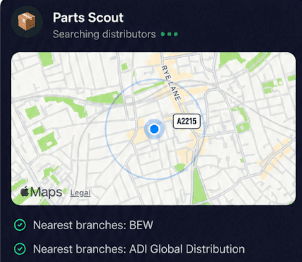
Source equipment easily
Locate replacements quickly when servicing a PageTek 4 transmitter or replacing a damaged housing on a GEO40A10 Pager. Parts Scout tracks down the required part number and finds the nearest distributor while you are on site.
Source equipment easily
Locate replacements quickly when servicing a PageTek 4 transmitter or replacing a damaged housing on a GEO40A10 Pager. Parts Scout tracks down the required part number and finds the nearest distributor while you are on site.
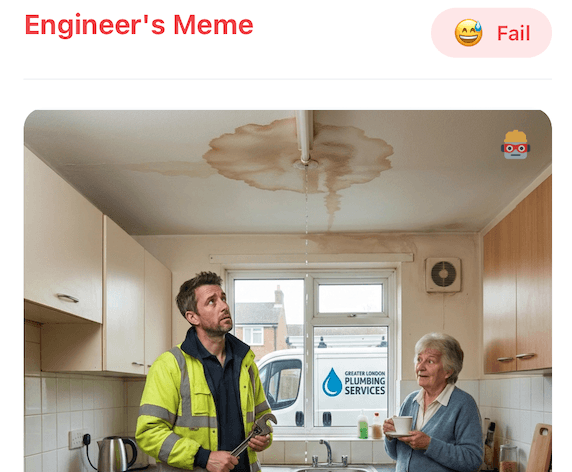
Meme Mode
Celebrate clearing a stubborn communication fault on an F-Link 4 mesh system or commiserate dropping an alerting pager down a riser shaft by sending light-hearted WIN, FAIL, and HAPPY CUSTOMER memes to your colleagues.
Meme Mode
Celebrate clearing a stubborn communication fault on an F-Link 4 mesh system or commiserate dropping an alerting pager down a riser shaft by sending light-hearted WIN, FAIL, and HAPPY CUSTOMER memes to your colleagues.
Made by engineers for engineers
What Early Users Say
Read what some of the first test users are saying about Super Engineer
Love the speed it finds answers from manuals. Especially on older more obscure equipment

Brendan
Security Engineer
Love the speed it finds answers from manuals. Especially on older more obscure equipment
Brendan
Security Engineer
We especially like the fact we can upload our specific company settings - as engineers are always forgetting them!

Alessandro
Company owner
We especially like the fact we can upload our specific company settings - as engineers are always forgetting them!
Alessandro
Company owner
We've uploaded all our support docs to the Brain so engineers don't have to call me all the time

David
Tech support manager
We've uploaded all our support docs to the Brain so engineers don't have to call me all the time
David
Tech support manager
Finish on time
Pro-Grade Assistance for Scope Technicians
Pro-Grade Assistance for Scope Technicians
Whether it’s handling a new piece of equipment, finding you that perfect morning snack or sourcing a missing piece of kit, Super Engineer’s AI makes your life easier & makes you smarter.
Includes our Get Home Early Guarantee ;-)
Whether it’s handling a new piece of equipment, finding you that perfect morning snack or sourcing a missing piece of kit, Super Engineer’s AI makes your life easier & makes you smarter.
Includes our Get Home Early Guarantee ;-)
