


Smoke Screen Technical Help On Site
Instant technical assistance for technicians servicing and commissioning Smoke Screen Sentinel and Titanium security fog equipment.
Free to try

Supporting technicians across Smoke Screen Sentinel, Titanium, and Rapid ranges










AI-powered help
Solve Smoke Screen Faults Faster
Get reliable information direct from Smoke Screen instruction manuals combined with trade knowledge to service Sentinel, Titanium, and Rapid security fog equipment quickly. Technicians can resolve site issues without wasting time searching through paperwork.

Accurate answers on site
Facing heater alerts or fluid warnings on a Sentinel S70 or Titanium Ti70? Ask your question and get prompt troubleshooting guidance without waiting on hold for technical support or thumbing through lengthy paper manuals while balancing on a ladder or working in a tight plant room.
Accurate answers on site
Facing heater alerts or fluid warnings on a Sentinel S70 or Titanium Ti70? Ask your question and get prompt troubleshooting guidance without waiting on hold for technical support or thumbing through lengthy paper manuals while balancing on a ladder or working in a tight plant room.
Accurate answers on site
Facing heater alerts or fluid warnings on a Sentinel S70 or Titanium Ti70? Ask your question and get prompt troubleshooting guidance without waiting on hold for technical support or thumbing through lengthy paper manuals while balancing on a ladder or working in a tight plant room.

Manual references provided
Get page-specific instruction manual citations for your Smoke Screen unit directly on your phone. You can easily check relevant setup and servicing guidance for a Sentinel SC20 or Sentinel S100 directly against the manufacturer documentation before making any changes on site.
Manual references provided
Get page-specific instruction manual citations for your Smoke Screen unit directly on your phone. You can easily check relevant setup and servicing guidance for a Sentinel SC20 or Sentinel S100 directly against the manufacturer documentation before making any changes on site.
Manual references provided
Get page-specific instruction manual citations for your Smoke Screen unit directly on your phone. You can easily check relevant setup and servicing guidance for a Sentinel SC20 or Sentinel S100 directly against the manufacturer documentation before making any changes on site.
Sentinel SC20 fault-finding
Titanium Ti100 servicing
Rapid Deploy setup
Sentinel S70 fluid checks
Sentinel SC20 fault-finding
Titanium Ti100 servicing
Rapid Deploy setup
Sentinel S70 fluid checks
Sentinel SC20 fault-finding
Titanium Ti100 servicing
Rapid Deploy setup
Sentinel S70 fluid checks
Titanium Ti35 diagnostics
Rapid HP troubleshooting
Sentinel S100 commissioning
Defender battery maintenance
Titanium Ti35 diagnostics
Rapid HP troubleshooting
Sentinel S100 commissioning
Defender battery maintenance
Titanium Ti35 diagnostics
Rapid HP troubleshooting
Sentinel S100 commissioning
Defender battery maintenance
Advanced tools
Smart Toolkit For Technicians
Use modern AI tools to improve your daily site performance when maintaining Smoke Screen installations. Resolve security fog faults faster, write notes effortlessly, and complete maintenance across commercial, retail, and industrial premises.
Accurate Answers
Access detailed technical guidance complete with relevant forum discussions, video references, and page-specific manual citations. It provides immediate clarity when you are diagnosing an unfamiliar Titanium Ti150, resolving fluid sensor issues on a Sentinel S35, or troubleshooting hold-up circuit inputs in front of a waiting customer.
Accurate Answers
Access detailed technical guidance complete with relevant forum discussions, video references, and page-specific manual citations. It provides immediate clarity when you are diagnosing an unfamiliar Titanium Ti150, resolving fluid sensor issues on a Sentinel S35, or troubleshooting hold-up circuit inputs in front of a waiting customer.
Personalized to you
Select your trade, language, and region to get technical help tailored to your everyday job role. Super Engineer checks compliance with local standards and codes for your chosen location, helping you stay aligned while servicing a Sentinel S100 or configuring security fog units in high-security commercial settings.
Personalized to you
Select your trade, language, and region to get technical help tailored to your everyday job role. Super Engineer checks compliance with local standards and codes for your chosen location, helping you stay aligned while servicing a Sentinel S100 or configuring security fog units in high-security commercial settings.
Improve your skills
Set up Coach to receive regular bite-sized training delivered directly to your device between callouts. Build deeper trade knowledge across the Sentinel and Titanium ranges, keeping your diagnostic skills sharp whether you are maintaining a Titanium Ti70 on site or inspecting battery backup systems on a Sentinel S70.
Improve your skills
Set up Coach to receive regular bite-sized training delivered directly to your device between callouts. Build deeper trade knowledge across the Sentinel and Titanium ranges, keeping your diagnostic skills sharp whether you are maintaining a Titanium Ti70 on site or inspecting battery backup systems on a Sentinel S70.
Site Lock
Lock your queries to a specific premises using Site Lock to maintain organized records of every installed unit. Keep site histories, queries, and equipment lists grouped cleanly, whether tracking a Sentinel S70 in a retail warehouse, a Titanium Ti100 in an office lobby, or a portable Rapid Deploy generator.
Site Lock
Lock your queries to a specific premises using Site Lock to maintain organized records of every installed unit. Keep site histories, queries, and equipment lists grouped cleanly, whether tracking a Sentinel S70 in a retail warehouse, a Titanium Ti100 in an office lobby, or a portable Rapid Deploy generator.
Ninja Mode
Activate Ninja Mode when dealing with complex, multi-layered faults across interconnected security systems. It deploys multiple AI agents simultaneously to help untangle tricky issues, such as coordinating a Sentinel SC20 alongside intruder alarm panel relays, external tamper monitoring circuits, or remote arming trigger lines on demanding client sites.
Ninja Mode
Activate Ninja Mode when dealing with complex, multi-layered faults across interconnected security systems. It deploys multiple AI agents simultaneously to help untangle tricky issues, such as coordinating a Sentinel SC20 alongside intruder alarm panel relays, external tamper monitoring circuits, or remote arming trigger lines on demanding client sites.
Notes
Stop writing site paperwork by hand after a long day in the field. Simply select Notes, speak your findings, and take photos of the Sentinel S35 or Titanium Ti70 installation. The AI automatically compiles and formats clean, professional site reports and job notes ready to share with clients or office managers.
Notes
Stop writing site paperwork by hand after a long day in the field. Simply select Notes, speak your findings, and take photos of the Sentinel S35 or Titanium Ti70 installation. The AI automatically compiles and formats clean, professional site reports and job notes ready to share with clients or office managers.
Simple to use
Field ready
Built for teams
Transparent Pricing, No Surprises
Flexible Plans for All
Choose a plan to suit your field work and scale support as your security contracts expand.
Monthly
Yearly
2 months free
Free
$0
user/month
Try it on your next job
500 credits / one-off
ALL industry sectors (knowledge-base)
Custom knowledge upload (with limit)
Ninja Mode (advanced problem solver)
Meme Mode ;-)
Solo
$20
user/month + tax
Fix it solo. Fix it right.
5,000 credits / month*
ALL industry sectors (knowledge-base)
Ninja Mode for tough faults
Rocket Fuel Agents for parts and kit
Share to the Community Brain
Job notes
Meme Mode ;-)
Pro
Popular
$35
user/month + tax
Everything in Solo, plus:
10,000 credits / month*
Private Brain for your own data
Answers from your private Brain
Site Lock for your sites and kit
Custom branding
Daily Coach
10x manual uploads
Coming soon: analytics, API, bulk export
Monthly
Yearly
2 months free
Free
$0
user/month
Try it on your next job
500 credits / one-off
ALL industry sectors (knowledge-base)
Custom knowledge upload (with limit)
Ninja Mode (advanced problem solver)
Meme Mode ;-)
Solo
$20
user/month + tax
Fix it solo. Fix it right.
5,000 credits / month*
ALL industry sectors (knowledge-base)
Ninja Mode for tough faults
Rocket Fuel Agents for parts and kit
Share to the Community Brain
Job notes
Meme Mode ;-)
Pro
Popular
$35
user/month + tax
Everything in Solo, plus:
10,000 credits / month*
Private Brain for your own data
Answers from your private Brain
Site Lock for your sites and kit
Custom branding
Daily Coach
10x manual uploads
Coming soon: analytics, API, bulk export
The future - NOW!
Vision XR
Be the first to access 'Vision XR' - the AI Tech Assistant glasses from Super Engineer

Vision XR
Trial our special AI Glasses designed for tradesmen (coming soon!). The perfect accessory for any tradesman, giving them technical instructions via visual (Head Up Display) & audio (earpiece).
Vision XR
Trial our special AI Glasses designed for tradesmen (coming soon!). The perfect accessory for any tradesman, giving them technical instructions via visual (Head Up Display) & audio (earpiece).
Got questions?
Smoke Screen Help & Answers
Everything technicians need to know about Super Engineer on site.
Which Smoke Screen equipment does Super Engineer cover?
Super Engineer covers the entire security fog lineup. Within the Sentinel range, this includes the Sentinel SC20 compact lightweight fog generator with a 40-second initial burst • Sentinel S35 compact security fog generator • Sentinel S70 high-capacity commercial fog generator featuring dry fog with no residue • Sentinel S100 heavy-duty generator designed with a large steel mass for extra energy storage. In the Titanium series, it covers the network-enabled compact Titanium Ti35 • connected commercial Titanium Ti70 • networked Titanium Ti100 • enterprise-grade networked Titanium Ti150. For Rapid & Special Application units, it includes the legacy Rapid ELM • high-output Rapid HP • portable Rapid Deploy generator • Defender battery-operated security smoke generator. These are only examples — the Super Engineer app covers many more Smoke Screen models.
Is Super Engineer affiliated with Smoke Screen?
No. Super Engineer is a completely independent technical tool built to assist security technicians in the field. We have no commercial relationship, affiliation, sponsorship, or connection with Smoke Screen. All brand names, trade marks, and model designations remain the exclusive property of their respective manufacturers. The platform functions as an AI assistant that analyses publicly available technical literature, instruction manuals, trade discussions, and your own uploaded notes. When you are on site installing a Sentinel SC20, servicing a Titanium Ti70, or fault-finding a Sentinel S100, Super Engineer provides convenient answers and manual page references directly on your mobile device. This allows technicians to navigate complex fog generator issues independently, helping you locate the right technical information swiftly without wasting valuable time waiting on technical helpline queues or carrying heavy printed paperwork from van to site.
Can Super Engineer assist during new Smoke Screen installs?
Yes. Technicians use Super Engineer through every phase of new Smoke Screen installations and system upgrades. When mounting a compact Sentinel SC20 in a retail environment or fitting a heavy-duty Sentinel S100 across a large commercial warehouse, the app helps you review positioning guidance, mounting preparations, and fluid system setup requirements. For connected projects featuring the Titanium series, such as the Titanium Ti35, Titanium Ti70, or Titanium Ti100, it helps clarify network terminal points and interface connections with intruder alarm panels. If you encounter unexpected panel trouble alerts during initial power-up or need to verify LED indicator sequences before sign-off, Super Engineer points you directly to the relevant manual pages. This helps you complete tidy commissioning, carry out thorough handover testing, and leave site confident that the installation meets the client's security requirements.
How does Super Engineer support legacy Smoke Screen units?
Technicians routinely encounter older or long-installed security fog generators when attending maintenance visits and unexpected fault calls. Super Engineer maintains access to reference material covering older units such as the legacy Rapid ELM fog generator, high-output Rapid HP, portable Rapid Deploy generator, and Defender battery-operated units. When you arrive on site to inspect an aging generator that is reporting tamper faults, power supply warnings, or heater block issues, the app guides you to the relevant sections of archived manuals. It helps you understand older board terminal layouts, interpret legacy LED blink codes, and determine the appropriate replacement components. This capability ensures that technicians do not have to walk away from older installations, allowing your team to service, maintain, and fault-find legacy Smoke Screen equipment confidently alongside the latest models.
How can our service team use it across sites?
Security companies and service teams can deploy Super Engineer across their entire roster of field technicians to streamline day-to-day operations. Technicians can organise customer premises with Site Lock, saving specific equipment lists so that everyone knows whether a facility uses a Sentinel S35, a commercial Sentinel S70, or an enterprise-grade Titanium Ti150. When attending scheduled servicing, routine fluid inspections, or urgent fault calls, technicians can query the AI through mobile apps, WhatsApp, Slack, or email. The Private Brain feature allows your company to build a shared repository of internal installation notes, customer access details, and specific site quirks while keeping company data secure. Whether onboarding a junior technician onto complex Titanium Ti100 installations or standardising maintenance workflows across Sentinel SC20 units, the system keeps your whole engineering division aligned and working efficiently.
Which Smoke Screen equipment does Super Engineer cover?
Is Super Engineer affiliated with Smoke Screen?
Can Super Engineer assist during new Smoke Screen installs?
How does Super Engineer support legacy Smoke Screen units?
How can our service team use it across sites?
Feel free to mail us for any enquiries : team@superengineer.app
Extra tools
More Helpful Features
Practical additions designed to make everyday site visits straightforward.
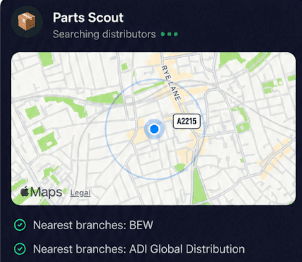
Source equipment easily
Locate replacement parts and consumables for your Smoke Screen kit without fuss. Parts Scout identifies compatible fluid containers, replacement batteries, or mounting hardware for your Sentinel S35 or Sentinel S100, finding the nearest supplier and correct part number while you remain on site.
Source equipment easily
Locate replacement parts and consumables for your Smoke Screen kit without fuss. Parts Scout identifies compatible fluid containers, replacement batteries, or mounting hardware for your Sentinel S35 or Sentinel S100, finding the nearest supplier and correct part number while you remain on site.
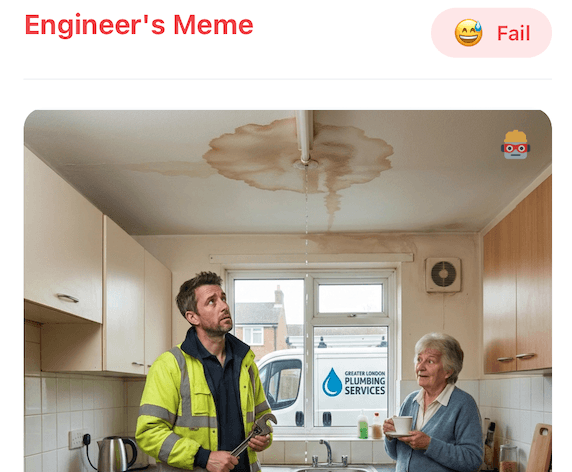
Meme Mode
Share a laugh with colleagues after wrapping up a tricky Titanium Ti100 fault or commissioning a Defender unit. Meme Mode lets you send custom trade memes celebrating a successful site sign-off.
Meme Mode
Share a laugh with colleagues after wrapping up a tricky Titanium Ti100 fault or commissioning a Defender unit. Meme Mode lets you send custom trade memes celebrating a successful site sign-off.
Made by engineers for engineers
What Early Users Say
Read what some of the first test users are saying about Super Engineer
Love the speed it finds answers from manuals. Especially on older more obscure equipment

Brendan
Security Engineer
Love the speed it finds answers from manuals. Especially on older more obscure equipment
Brendan
Security Engineer
We especially like the fact we can upload our specific company settings - as engineers are always forgetting them!

Alessandro
Company owner
We especially like the fact we can upload our specific company settings - as engineers are always forgetting them!
Alessandro
Company owner
We've uploaded all our support docs to the Brain so engineers don't have to call me all the time

David
Tech support manager
We've uploaded all our support docs to the Brain so engineers don't have to call me all the time
David
Tech support manager
Work smarter
Dependable Support For Smoke Screen Technicians
Dependable Support For Smoke Screen Technicians
Whether it’s handling a new piece of equipment, finding you that perfect morning snack or sourcing a missing piece of kit, Super Engineer’s AI makes your life easier & makes you smarter.
Includes our Get Home Early Guarantee ;-)
Whether it’s handling a new piece of equipment, finding you that perfect morning snack or sourcing a missing piece of kit, Super Engineer’s AI makes your life easier & makes you smarter.
Includes our Get Home Early Guarantee ;-)
