


Suprema Technical Support at Your Fingertips
The AI assistant helping technicians install, commission and fault-find the BioEntry Series, FaceStation Series and centralised door controllers with instant technical answers.
Free to try

Expert assistance across Suprema BioEntry, FaceStation, and BioStation access control ranges










AI-powered help
Solve Any Suprema Access Issue
Get rapid guidance drawn straight from instruction manuals across the BioEntry Series, FaceStation Series, and CoreStation controllers. Troubleshoot door controllers and biometric readers with expert knowledge gathered for technicians on site.

Instant Suprema Answers
When you run into communication drops on a BioEntry W2 or authentication faults on a FaceStation F2, get clear troubleshooting steps in an instant. No need to telephone technical support or search endlessly through documentation while the customer waits.
Instant Suprema Answers
When you run into communication drops on a BioEntry W2 or authentication faults on a FaceStation F2, get clear troubleshooting steps in an instant. No need to telephone technical support or search endlessly through documentation while the customer waits.
Instant Suprema Answers
When you run into communication drops on a BioEntry W2 or authentication faults on a FaceStation F2, get clear troubleshooting steps in an instant. No need to telephone technical support or search endlessly through documentation while the customer waits.

Direct Manual Citations
Super Engineer links its answers directly to relevant instruction manual pages for your CoreStation (CS-40) controller and Secure I/O 2 module. Confirm terminal details, jumper configurations, and installation requirements straight from the manufacturer’s original documentation.
Direct Manual Citations
Super Engineer links its answers directly to relevant instruction manual pages for your CoreStation (CS-40) controller and Secure I/O 2 module. Confirm terminal details, jumper configurations, and installation requirements straight from the manufacturer’s original documentation.
Direct Manual Citations
Super Engineer links its answers directly to relevant instruction manual pages for your CoreStation (CS-40) controller and Secure I/O 2 module. Confirm terminal details, jumper configurations, and installation requirements straight from the manufacturer’s original documentation.
BioEntry W2 fault-finding
FaceStation F2 setup help
CoreStation (CS-40) wiring guidance
BioStation 3 troubleshooting
BioEntry W2 fault-finding
FaceStation F2 setup help
CoreStation (CS-40) wiring guidance
BioStation 3 troubleshooting
BioEntry W2 fault-finding
FaceStation F2 setup help
CoreStation (CS-40) wiring guidance
BioStation 3 troubleshooting
Secure I/O 2 module diagnostics
BioEntry P2 reader servicing
DM-20 interface assistance
FaceStation 2 configuration answers
Secure I/O 2 module diagnostics
BioEntry P2 reader servicing
DM-20 interface assistance
FaceStation 2 configuration answers
Secure I/O 2 module diagnostics
BioEntry P2 reader servicing
DM-20 interface assistance
FaceStation 2 configuration answers
Smart AI tools
Built for Suprema Field Technicians
Use specialised AI tools to speed up routine maintenance, complex door controller installations, and daily reporting across every Suprema access control system you encounter on site.
Accurate Answers
Receive detailed technical guidance with direct manual page citations when setting up a BioStation 3 or troubleshooting optical reader errors. Check online community insights and documentation references instantly without leafing through paper booklets while balanced on a ladder.
Accurate Answers
Receive detailed technical guidance with direct manual page citations when setting up a BioStation 3 or troubleshooting optical reader errors. Check online community insights and documentation references instantly without leafing through paper booklets while balanced on a ladder.
Personalized to you
Tailor responses to your trade, language, and work territory. When deploying a BioEntry P2 indoors, Super Engineer checks compliance with local installation standards and building codes for your region, keeping your commercial access setups fully aligned with regulations.
Personalized to you
Tailor responses to your trade, language, and work territory. When deploying a BioEntry P2 indoors, Super Engineer checks compliance with local installation standards and building codes for your region, keeping your commercial access setups fully aligned with regulations.
Improve your skills
Sharpen your biometric expertise before tackling advanced jobs. Set up Daily Coach to receive regular, bite-sized on-the-job refresher tutorials covering the FaceStation 2 facial authentication terminal and networked biometric hardware, keeping your access control capabilities top tier.
Improve your skills
Sharpen your biometric expertise before tackling advanced jobs. Set up Daily Coach to receive regular, bite-sized on-the-job refresher tutorials covering the FaceStation 2 facial authentication terminal and networked biometric hardware, keeping your access control capabilities top tier.
Site Lock
Working across multiple client facilities? Use Site Lock to store hardware inventories and site-specific records for each location. Keep notes on installed DM-20 door interfaces, reader addresses, and network switches organised together in one dedicated workspace.
Site Lock
Working across multiple client facilities? Use Site Lock to store hardware inventories and site-specific records for each location. Keep notes on installed DM-20 door interfaces, reader addresses, and network switches organised together in one dedicated workspace.
Ninja Mode
Deploy Ninja Mode when confronting complex multi-door faults involving a CoreStation (CS-40) controller linked with multiple Secure I/O 2 modules and readers. Multiple AI agents collaborate at once to dissect multi-device communication conflicts and system-level access issues.
Ninja Mode
Deploy Ninja Mode when confronting complex multi-door faults involving a CoreStation (CS-40) controller linked with multiple Secure I/O 2 modules and readers. Multiple AI agents collaborate at once to dissect multi-device communication conflicts and system-level access issues.
Notes
Never write a site report manually again. After replacing a BioEntry R2 slave reader, simply take photos and speak into your phone. The AI automatically compiles a tidy, professional job summary and hand-over report ready for your client or office.
Notes
Never write a site report manually again. After replacing a BioEntry R2 slave reader, simply take photos and speak into your phone. The AI automatically compiles a tidy, professional job summary and hand-over report ready for your client or office.
Fast on-site answers
Direct manual citations
Complete team support
Transparent Pricing, No Surprises
Flexible Plans for All
Choose a plan that fits your workload and upgrade whenever your team expands.
Monthly
Yearly
2 months free
Free
$0
user/month
Try it on your next job
500 credits / one-off
ALL industry sectors (knowledge-base)
Custom knowledge upload (with limit)
Ninja Mode (advanced problem solver)
Meme Mode ;-)
Solo
$20
user/month + tax
Fix it solo. Fix it right.
5,000 credits / month*
ALL industry sectors (knowledge-base)
Ninja Mode for tough faults
Rocket Fuel Agents for parts and kit
Share to the Community Brain
Job notes
Meme Mode ;-)
Pro
Popular
$35
user/month + tax
Everything in Solo, plus:
10,000 credits / month*
Private Brain for your own data
Answers from your private Brain
Site Lock for your sites and kit
Custom branding
Daily Coach
10x manual uploads
Coming soon: analytics, API, bulk export
Monthly
Yearly
2 months free
Free
$0
user/month
Try it on your next job
500 credits / one-off
ALL industry sectors (knowledge-base)
Custom knowledge upload (with limit)
Ninja Mode (advanced problem solver)
Meme Mode ;-)
Solo
$20
user/month + tax
Fix it solo. Fix it right.
5,000 credits / month*
ALL industry sectors (knowledge-base)
Ninja Mode for tough faults
Rocket Fuel Agents for parts and kit
Share to the Community Brain
Job notes
Meme Mode ;-)
Pro
Popular
$35
user/month + tax
Everything in Solo, plus:
10,000 credits / month*
Private Brain for your own data
Answers from your private Brain
Site Lock for your sites and kit
Custom branding
Daily Coach
10x manual uploads
Coming soon: analytics, API, bulk export
The future - NOW!
Vision XR
Be the first to access 'Vision XR' - the AI Tech Assistant glasses from Super Engineer

Vision XR
Trial our special AI Glasses designed for tradesmen (coming soon!). The perfect accessory for any tradesman, giving them technical instructions via visual (Head Up Display) & audio (earpiece).
Vision XR
Trial our special AI Glasses designed for tradesmen (coming soon!). The perfect accessory for any tradesman, giving them technical instructions via visual (Head Up Display) & audio (earpiece).
Got questions?
Frequently Asked Questions
Everything you need to know about Super Engineer on site.
Which Suprema equipment does Super Engineer cover?
Super Engineer provides technical assistance across the full spectrum of Suprema access control equipment. BioEntry Series: BioEntry W2 outdoor IP fingerprint device • BioEntry P2 compact IP fingerprint device • BioEntry R2 compact IP fingerprint reader. FaceStation Series: FaceStation F2 fusion multimodal terminal with fusion matching face and fingerprint • FaceStation 2 IP facial authentication terminal with touchscreen. BioStation Series: BioStation 3 edge-AI terminal featuring AI face recognition and VoIP intercom • BioStation A2 fingerprint terminal with touchscreen and camera. CoreStation & Centralized Controllers / Modules: CoreStation (CS-40) intelligent biometric access controller • Secure I/O 2 door control module • DM-20 multi-door interface module. These hardware listings are only examples — the Super Engineer app covers many more Suprema models across access control installations.
Is Super Engineer affiliated with Suprema?
No. Super Engineer is an entirely independent technical tool built specifically to support field technicians, security contractors, and tradespeople. We have no affiliation, endorsement, or corporate link with Suprema. Our dedicated platform references technical instruction manuals, installation guides, trade discussions, and community forum entries to deliver rapid support when you are working on live equipment. Technicians rely on Super Engineer to locate troubleshooting guidance when commissioning a FaceStation F2 terminal, wiring a Secure I/O 2 module, or diagnosing communication faults on a CoreStation (CS-40). By pairing manual citations with an intelligent AI assistant, we help you resolve technical queries swiftly on site while remaining completely independent. All product names, range titles, and brand trademarks belong solely to their respective owners.
Can Super Engineer help with Suprema installs and fault-finding?
Yes, Super Engineer assists technicians across every stage of a job, from fresh installations to emergency service calls and hardware upgrades. If you are mounting a BioEntry W2 on an exterior wall and need to check terminal wiring or tamper switch settings, the app delivers immediate step-by-step guidance. During routine servicing on a FaceStation 2 facial recognition unit, you can ask questions about optical sensor calibration, credential syncing, or network disconnects. For multi-door upgrades involving a centralized DM-20 door interface or a BioStation 3 terminal, Super Engineer pinpoints relevant manual pages so you can verify jumper links, auxiliary power supplies, and relay triggers without delay. Whether you face an intermittent communication fault or need to configure a new access reader on a customer site, the assistant keeps your job moving forward smoothly.
How does Super Engineer handle older or unfamiliar Suprema models?
Walking up to an older installation or a reader you have not encountered for months can slow any technician down. Super Engineer includes technical documentation across older and modern devices, such as the BioStation A2 touchscreen fingerprint terminal or early generation BioEntry P2 readers. You can simply take a photo of an unfamiliar access terminal or type in its part description to bring up matching technical notes and installation diagrams. When tracing legacy communication lines wired back to a CoreStation (CS-40) controller or Secure I/O 2 relay module, the app clarifies terminal layouts and device addressing. Rather than guessing connection requirements on legacy plant or calling around colleagues for advice, you get clear manual references that help you diagnose power drops, reader offline states, and controller communication errors with total confidence.
How do security teams use Super Engineer across Suprema ranges?
Security installation companies and facilities maintenance teams use Super Engineer to share knowledge and maintain consistency across complex commercial sites. Using shared workspaces and Private Brain, senior technicians can record site-specific notes, controller IP configurations, and cabling schedules for CoreStation (CS-40) panels and DM-20 interface modules. Junior technicians out in the field can access that collective wisdom on their mobile phones via the app, WhatsApp, or Slack whenever they need to fault-find a BioEntry R2 slave reader or service a FaceStation F2 terminal. Site Lock allows the entire technician team to organise equipment lists by customer building, so any technician arriving on site immediately sees the installed access hardware history. Furthermore, automated voice-to-text notes ensure uniform handover reports are generated after every service visit or reader replacement.
Which Suprema equipment does Super Engineer cover?
Is Super Engineer affiliated with Suprema?
Can Super Engineer help with Suprema installs and fault-finding?
How does Super Engineer handle older or unfamiliar Suprema models?
How do security teams use Super Engineer across Suprema ranges?
Feel free to mail us for any enquiries : team@superengineer.app
Helpful extras
More Tools for Technicians
Handy extra features designed to make your working day simpler and faster.
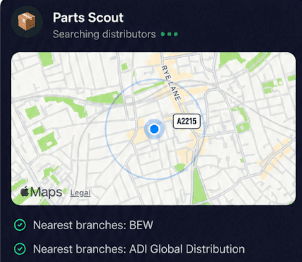
Source equipment easily
Missing a replacement reader bracket, an auxiliary power supply, or a Secure I/O 2 module to finish your door interlock? Parts Scout quickly tracks down the part number and locates the closest or cheapest trade supplier so you can wrap up the install.
Source equipment easily
Missing a replacement reader bracket, an auxiliary power supply, or a Secure I/O 2 module to finish your door interlock? Parts Scout quickly tracks down the part number and locates the closest or cheapest trade supplier so you can wrap up the install.

Meme Mode
Just conquered a stubborn biometric network fault on a BioStation 3 terminal, or discovered terrible third-party cabling inside a door mullion? Send light-hearted WIN or FAIL memes to your crew to share the triumphs and frustrations of life on the tools.
Meme Mode
Just conquered a stubborn biometric network fault on a BioStation 3 terminal, or discovered terrible third-party cabling inside a door mullion? Send light-hearted WIN or FAIL memes to your crew to share the triumphs and frustrations of life on the tools.
Made by engineers for engineers
What Early Users Say
Read what some of the first test users are saying about Super Engineer
Love the speed it finds answers from manuals. Especially on older more obscure equipment

Brendan
Security Engineer
Love the speed it finds answers from manuals. Especially on older more obscure equipment
Brendan
Security Engineer
We especially like the fact we can upload our specific company settings - as engineers are always forgetting them!

Alessandro
Company owner
We especially like the fact we can upload our specific company settings - as engineers are always forgetting them!
Alessandro
Company owner
We've uploaded all our support docs to the Brain so engineers don't have to call me all the time

David
Tech support manager
We've uploaded all our support docs to the Brain so engineers don't have to call me all the time
David
Tech support manager
Finish on time
Smarter Technical Assistance on Every Job
Smarter Technical Assistance on Every Job
Whether it’s handling a new piece of equipment, finding you that perfect morning snack or sourcing a missing piece of kit, Super Engineer’s AI makes your life easier & makes you smarter.
Includes our Get Home Early Guarantee ;-)
Whether it’s handling a new piece of equipment, finding you that perfect morning snack or sourcing a missing piece of kit, Super Engineer’s AI makes your life easier & makes you smarter.
Includes our Get Home Early Guarantee ;-)
