


AI Assistant for Swiftlane Systems
Equip security technicians working on Swiftlane Video Intercom & Smart Entry Stations and Door Controllers & Access Control Units with instant guidance.
Free to try

Support for technicians installing Swiftlane video intercoms, door controllers, and smart readers










AI-powered help
Solve Swiftlane faults faster
Get reliable technical guidance for Swiftlane Video Intercom & Smart Entry Stations, Door Controllers & Access Control Units, and Smart Card & Mobile RFID Readers, referencing published manufacturer documentation whenever you encounter tricky site faults or complex install queries.

Accurate answers - quick!
Facing unexpected communication issues on a SwiftReader X or wiring faults on a Swiftlane Door Controller 5.2? Receive direct troubleshooting guidance without phoning tech support or searching through dense paperwork while standing at the door or balancing on a ladder in the riser cupboard.
Accurate answers - quick!
Facing unexpected communication issues on a SwiftReader X or wiring faults on a Swiftlane Door Controller 5.2? Receive direct troubleshooting guidance without phoning tech support or searching through dense paperwork while standing at the door or balancing on a ladder in the riser cupboard.
Accurate answers - quick!
Facing unexpected communication issues on a SwiftReader X or wiring faults on a Swiftlane Door Controller 5.2? Receive direct troubleshooting guidance without phoning tech support or searching through dense paperwork while standing at the door or balancing on a ladder in the riser cupboard.

Instruction manual sources
Review page-referenced citations from Swiftlane instruction manuals for hardware such as the Swiftvision Pro touchscreen or Access Control Unit. Technicians can check recommended connections and terminal layouts directly in the manufacturer documentation without wasting valuable time hunting through unindexed files.
Instruction manual sources
Review page-referenced citations from Swiftlane instruction manuals for hardware such as the Swiftvision Pro touchscreen or Access Control Unit. Technicians can check recommended connections and terminal layouts directly in the manufacturer documentation without wasting valuable time hunting through unindexed files.
Instruction manual sources
Review page-referenced citations from Swiftlane instruction manuals for hardware such as the Swiftvision Pro touchscreen or Access Control Unit. Technicians can check recommended connections and terminal layouts directly in the manufacturer documentation without wasting valuable time hunting through unindexed files.
SwiftReader X fault-finding
Swiftvision Pro set-up
Door Controller 5.2 queries
Z10 Reader diagnostics
SwiftReader X fault-finding
Swiftvision Pro set-up
Door Controller 5.2 queries
Z10 Reader diagnostics
SwiftReader X fault-finding
Swiftvision Pro set-up
Door Controller 5.2 queries
Z10 Reader diagnostics
Swiftlane ACU manual references
Rapid door entry troubleshooting
Swiftlane hardware guidance
Z20 Reader installation support
Swiftlane ACU manual references
Rapid door entry troubleshooting
Swiftlane hardware guidance
Z20 Reader installation support
Swiftlane ACU manual references
Rapid door entry troubleshooting
Swiftlane hardware guidance
Z20 Reader installation support
Advanced AI tools
Toolkit for Swiftlane technicians
Use specialised technical AI tools built to assist your daily installation, commissioning, and servicing work across modern Swiftlane access control and door entry systems in any commercial or residential building.
Accurate Answers
Receive clear technical guidance referencing Swiftlane manual pages for equipment such as the SwiftReader touchless entry unit or Door Controller V4 panel. Access relevant diagrams and citations immediately, removing the guesswork when diagnosing power issues or line communications on site.
Accurate Answers
Receive clear technical guidance referencing Swiftlane manual pages for equipment such as the SwiftReader touchless entry unit or Door Controller V4 panel. Access relevant diagrams and citations immediately, removing the guesswork when diagnosing power issues or line communications on site.
Personalized to you
Customise your assistant for security technician duties and your specific working location. Store notes on your Door Controller 5.1 installs in your Private Brain while checking that your door hardware setups align with local security regulations and installation codes on every job.
Personalized to you
Customise your assistant for security technician duties and your specific working location. Store notes on your Door Controller 5.1 installs in your Private Brain while checking that your door hardware setups align with local security regulations and installation codes on every job.
Improve your skills
Use Coach to sharpen your technical expertise across Swiftlane door entry systems, from touchscreen Swiftvision stations to Z20 Reader hardware. Complete short, bite-sized training sessions between site visits to keep your product knowledge and diagnostic methods up to date.
Improve your skills
Use Coach to sharpen your technical expertise across Swiftlane door entry systems, from touchscreen Swiftvision stations to Z20 Reader hardware. Complete short, bite-sized training sessions between site visits to keep your product knowledge and diagnostic methods up to date.
Site Lock
Lock your queries to individual customer properties running Swiftlane door controllers and intercom stations. Save hardware lists, door schedules, and terminal notes for SwiftReader X entry points and Door Controller 5.2 panels so previous site details remain at your fingertips.
Site Lock
Lock your queries to individual customer properties running Swiftlane door controllers and intercom stations. Save hardware lists, door schedules, and terminal notes for SwiftReader X entry points and Door Controller 5.2 panels so previous site details remain at your fingertips.
Ninja Mode
Resolve intricate technical problems involving multiple doors, network switches, or interconnected Swiftvision Pro intercom stations and Door Controller 5.2 units. Ninja Mode coordinates multiple troubleshooting agents at once to help you work through complicated multi-device faults methodically.
Ninja Mode
Resolve intricate technical problems involving multiple doors, network switches, or interconnected Swiftvision Pro intercom stations and Door Controller 5.2 units. Ninja Mode coordinates multiple troubleshooting agents at once to help you work through complicated multi-device faults methodically.
Notes
Dictate your site findings clearly after servicing a Swiftlane Access Control Unit or installing a Z10 Reader. Capture photos of the enclosure, and our tool structures and formats a comprehensive job note or customer handover report automatically, without manual typing.
Notes
Dictate your site findings clearly after servicing a Swiftlane Access Control Unit or installing a Z10 Reader. Capture photos of the enclosure, and our tool structures and formats a comprehensive job note or customer handover report automatically, without manual typing.
Easy to use
Works on site
Built for teams
Transparent Pricing, No Surprises
Flexible Plans for All
Choose a plan to support your Swiftlane installation and service work on site.
Monthly
Yearly
2 months free
Free
$0
user/month
Try it on your next job
500 credits / one-off
ALL industry sectors (knowledge-base)
Custom knowledge upload (with limit)
Ninja Mode (advanced problem solver)
Meme Mode ;-)
Solo
$20
user/month + tax
Fix it solo. Fix it right.
5,000 credits / month*
ALL industry sectors (knowledge-base)
Ninja Mode for tough faults
Rocket Fuel Agents for parts and kit
Share to the Community Brain
Job notes
Meme Mode ;-)
Pro
Popular
$35
user/month + tax
Everything in Solo, plus:
10,000 credits / month*
Private Brain for your own data
Answers from your private Brain
Site Lock for your sites and kit
Custom branding
Daily Coach
10x manual uploads
Coming soon: analytics, API, bulk export
Monthly
Yearly
2 months free
Free
$0
user/month
Try it on your next job
500 credits / one-off
ALL industry sectors (knowledge-base)
Custom knowledge upload (with limit)
Ninja Mode (advanced problem solver)
Meme Mode ;-)
Solo
$20
user/month + tax
Fix it solo. Fix it right.
5,000 credits / month*
ALL industry sectors (knowledge-base)
Ninja Mode for tough faults
Rocket Fuel Agents for parts and kit
Share to the Community Brain
Job notes
Meme Mode ;-)
Pro
Popular
$35
user/month + tax
Everything in Solo, plus:
10,000 credits / month*
Private Brain for your own data
Answers from your private Brain
Site Lock for your sites and kit
Custom branding
Daily Coach
10x manual uploads
Coming soon: analytics, API, bulk export
The future - NOW!
Vision XR
Be the first to access 'Vision XR' - the AI Tech Assistant glasses from Super Engineer

Vision XR
Trial our special AI Glasses designed for tradesmen (coming soon!). The perfect accessory for any tradesman, giving them technical instructions via visual (Head Up Display) & audio (earpiece).
Vision XR
Trial our special AI Glasses designed for tradesmen (coming soon!). The perfect accessory for any tradesman, giving them technical instructions via visual (Head Up Display) & audio (earpiece).
Technician FAQs
Swiftlane equipment queries
Common questions about using Super Engineer on Swiftlane door entry hardware.
Which Swiftlane equipment does Super Engineer cover?
Super Engineer covers Swiftlane Video Intercom & Smart Entry Stations including the SwiftReader X video intercom with facial recognition • Swiftvision Pro touchscreen video intercom station with a 7-inch display • Swiftvision compact touchscreen video intercom station with a 5-inch display • SwiftReader touchless reader and intercom unit. For Door Controllers & Access Control Units, coverage includes Door Controller 5.2 which provides access for up to 4 doors • Door Controller 5.1 controller unit • Door Controller V4 door controller panel • Access Control Unit which provides reliable access control even during network outages. For Smart Card & Mobile RFID Readers, it includes the Z10 Reader mullion-mount multi-frequency reader • Z20 Reader single-gang multi-technology reader. These are only examples — the Super Engineer app covers many more Swiftlane models.
Is Super Engineer affiliated with Swiftlane?
No. Super Engineer is completely independent from Swiftlane. We are not endorsed by, sponsored by, or affiliated with Swiftlane in any capacity, and we make no claim to represent the brand. Super Engineer is an independent AI technical assistant created specifically to assist trades and technicians working out in the field. The platform helps security technicians by referencing publicly available technical documents, instruction manuals, and trade knowledge so you can locate the relevant page in manufacturer literature quickly. Whether you are dealing with intercom stations or door controllers, our assistant provides unbiased guidance based on published documentation. All product names and trademarks remain the property of their respective owners, and our goal is simply to make diagnosing, installing, and servicing equipment smoother for technicians on site.
Can Super Engineer help with new Swiftlane intercom installations?
Yes. Security technicians use Super Engineer across every stage of a project, from initial installation and commissioning to regular servicing, fault calls, and system upgrades. When mounting a SwiftReader X on an entrance pillar, the app helps you check POE wiring notes and terminal descriptions straight from the manual. If you are fitting a Door Controller 5.2 in a plant room or configuring a 7-inch Swiftvision Pro station for multi-tenant calling, you can look up dip switch settings, input connections, and commissioning workflows without waiting on support desks. On upgrade jobs where older hardware is being swapped out for a modern Access Control Unit or Z20 Reader, Super Engineer quickly surfaces the required manufacturer documentation so you can finish the job efficiently.
How does Super Engineer assist when servicing older Door Controller V4 hardware?
Super Engineer provides valuable guidance when technicians attend service calls on older or long-installed equipment such as the Door Controller V4 panel. Legacy hardware often lacks printed documentation on site, leaving technicians to guess wiring connections, relay configurations, or diagnostic LED indicators. Super Engineer references manual archives to supply page citations for the Door Controller V4 alongside newer units like Door Controller 5.1 and Door Controller 5.2. Whether you are tracing an intermittent lock release failure, investigating reader communications, or planning an upgrade to a newer Access Control Unit, the assistant helps you isolate faults methodically. You can review terminal references and power requirements without wasting hours searching the internet or calling around for assistance.
How do security teams use Super Engineer across multiple Swiftlane jobs?
Security teams deploy Super Engineer across their entire technician roster using mobile apps, web browsers, WhatsApp, and Slack. When technicians are spread across various sites installing Swiftvision intercom stations, servicing Door Controller 5.2 units, or replacing Z10 Reader units on mullions, they can access the same knowledge base instantly. Team workspaces and Private Brain allow technicians to save site-specific notes, controller enclosure locations, and entrance details so colleagues visiting the property later have immediate context. With Site Lock, any technician arriving at a facility can pull up past equipment records for SwiftReader X terminals and Access Control Unit panels. This consistency reduces repeat visits, simplifies handover communication, and keeps junior and senior technicians aligned on every job.
Which Swiftlane equipment does Super Engineer cover?
Is Super Engineer affiliated with Swiftlane?
Can Super Engineer help with new Swiftlane intercom installations?
How does Super Engineer assist when servicing older Door Controller V4 hardware?
How do security teams use Super Engineer across multiple Swiftlane jobs?
Feel free to mail us for any enquiries : team@superengineer.app
Extra capabilities
Bonus technician features
Helpful extras designed to assist your daily site visits and team communication.
Source equipment easily
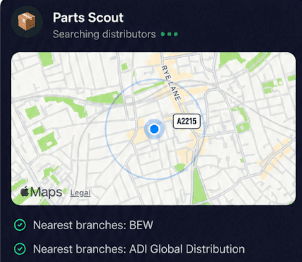
Quickly locate compatible power supplies, backup batteries, cabling, and replacement hardware when maintaining a Door Controller 5.2 or Z10 Reader install. Parts Scout tracks down what you need nearby so you never leave a job incomplete.
Source equipment easily
Quickly locate compatible power supplies, backup batteries, cabling, and replacement hardware when maintaining a Door Controller 5.2 or Z10 Reader install. Parts Scout tracks down what you need nearby so you never leave a job incomplete.

Meme Mode
Send WIN, FAIL, or HAPPY CUSTOMER memes to your colleagues after commissioning a complex SwiftReader X intercom install or finally curing a stubborn door lock fault on an Access Control Unit.
Meme Mode
Send WIN, FAIL, or HAPPY CUSTOMER memes to your colleagues after commissioning a complex SwiftReader X intercom install or finally curing a stubborn door lock fault on an Access Control Unit.
Made by engineers for engineers
What Early Users Say
Read what some of the first test users are saying about Super Engineer
Love the speed it finds answers from manuals. Especially on older more obscure equipment

Brendan
Security Engineer
Love the speed it finds answers from manuals. Especially on older more obscure equipment
Brendan
Security Engineer
We especially like the fact we can upload our specific company settings - as engineers are always forgetting them!

Alessandro
Company owner
We especially like the fact we can upload our specific company settings - as engineers are always forgetting them!
Alessandro
Company owner
We've uploaded all our support docs to the Brain so engineers don't have to call me all the time

David
Tech support manager
We've uploaded all our support docs to the Brain so engineers don't have to call me all the time
David
Tech support manager
Work smarter today
Faster fault-finding on Swiftlane hardware
Faster fault-finding on Swiftlane hardware
Whether it’s handling a new piece of equipment, finding you that perfect morning snack or sourcing a missing piece of kit, Super Engineer’s AI makes your life easier & makes you smarter.
Includes our Get Home Early Guarantee ;-)
Whether it’s handling a new piece of equipment, finding you that perfect morning snack or sourcing a missing piece of kit, Super Engineer’s AI makes your life easier & makes you smarter.
Includes our Get Home Early Guarantee ;-)
