


AI Technical Support for Ubiquiti Systems
The AI assistant built for technicians working on Ubiquiti smart systems, from UniFi Protect cameras and video doorbells to UniFi WiFi networks across customer properties.
Free to try

Get expert help across Ubiquiti UniFi Protect, Switching and WiFi ranges










AI-powered help
Solve any Ubiquiti issue faster
Get accurate information sourced directly from Ubiquiti instruction manuals combined with expert practical knowledge. Tackle installs, servicing and faults across UniFi Protect, UniFi Cloud Gateways & Consoles, UniFi Switching and UniFi WiFi without waiting on hold.

Accurate answers on site
Get clear answers when troubleshooting a Camera G5 Bullet or configuring a Dream Machine Pro. Whether you are balancing traffic or commissioning hardware, get quick technical guidance on site so you never have to waste time searching through lengthy documentation.
Accurate answers on site
Get clear answers when troubleshooting a Camera G5 Bullet or configuring a Dream Machine Pro. Whether you are balancing traffic or commissioning hardware, get quick technical guidance on site so you never have to waste time searching through lengthy documentation.
Accurate answers on site
Get clear answers when troubleshooting a Camera G5 Bullet or configuring a Dream Machine Pro. Whether you are balancing traffic or commissioning hardware, get quick technical guidance on site so you never have to waste time searching through lengthy documentation.

Manual references provided
Get page-specific instruction manual references to confirm details straight from the manufacturer documentation. When mounting an Access Point U6 Pro or setting up a G4 Doorbell Pro, you can view the cited manual pages directly in the app so you never have to guess on site.
Manual references provided
Get page-specific instruction manual references to confirm details straight from the manufacturer documentation. When mounting an Access Point U6 Pro or setting up a G4 Doorbell Pro, you can view the cited manual pages directly in the app so you never have to guess on site.
Manual references provided
Get page-specific instruction manual references to confirm details straight from the manufacturer documentation. When mounting an Access Point U6 Pro or setting up a G4 Doorbell Pro, you can view the cited manual pages directly in the app so you never have to guess on site.
G4 Doorbell Pro fault-finding
Camera G5 Bullet setup
Dream Machine Pro help
Access Point U7 Pro advice
G4 Doorbell Pro fault-finding
Camera G5 Bullet setup
Dream Machine Pro help
Access Point U7 Pro advice
G4 Doorbell Pro fault-finding
Camera G5 Bullet setup
Dream Machine Pro help
Access Point U7 Pro advice
Switch Flex Mini diagnostics
Lite 8 PoE configuration
Cloud Gateway Ultra queries
Access Point U6 Lite support
Switch Flex Mini diagnostics
Lite 8 PoE configuration
Cloud Gateway Ultra queries
Access Point U6 Lite support
Switch Flex Mini diagnostics
Lite 8 PoE configuration
Cloud Gateway Ultra queries
Access Point U6 Lite support
AI site toolkit
Smart tools for smart tech
Use specialised AI tools designed for technicians servicing Ubiquiti smart home networks, doorbells and security cameras to handle demanding client call-outs with confidence.
Accurate Answers
Receive comprehensive technical guidance for your UniFi WiFi hardware, including relevant technical discussions and page-specific manual citations. When troubleshooting an Access Point U6 Lite or checking PoE power requirements, you get dependable references without trawling forums or reading entire user guides.
Accurate Answers
Receive comprehensive technical guidance for your UniFi WiFi hardware, including relevant technical discussions and page-specific manual citations. When troubleshooting an Access Point U6 Lite or checking PoE power requirements, you get dependable references without trawling forums or reading entire user guides.
Personalized to you
Tailor your technical support by choosing your trade, language and location. Super Engineer delivers customised assistance for smart home technicians and checks local installation regulations when running cables for a Camera G5 Bullet, keeping your jobs neat and compliant.
Personalized to you
Tailor your technical support by choosing your trade, language and location. Super Engineer delivers customised assistance for smart home technicians and checks local installation regulations when running cables for a Camera G5 Bullet, keeping your jobs neat and compliant.
Improve your skills
Sharpen your networking and security expertise while working in the field. Set up Coach to receive bite-sized daily training on managing a Dream Machine Special Edition console or commissioning an Access Point U7 Pro on site.
Improve your skills
Sharpen your networking and security expertise while working in the field. Set up Coach to receive bite-sized daily training on managing a Dream Machine Special Edition console or commissioning an Access Point U7 Pro on site.
Site Lock
Keep hardware inventories organised per property. Use Site Lock to save lists of installed kit, such as a Lite 8 PoE switch paired with a Cloud Gateway Ultra, so every return maintenance visit starts with full site context.
Site Lock
Keep hardware inventories organised per property. Use Site Lock to save lists of installed kit, such as a Lite 8 PoE switch paired with a Cloud Gateway Ultra, so every return maintenance visit starts with full site context.
Ninja Mode
Tackle complex multi-device system issues where cameras, switches and gateways interact across a customer site. Ninja Mode coordinates multiple AI agents simultaneously to solve intricate faults between a Dream Machine Pro and a Camera G5 Bullet, helping you isolate networking issues without getting stuck on tricky call-outs.
Ninja Mode
Tackle complex multi-device system issues where cameras, switches and gateways interact across a customer site. Ninja Mode coordinates multiple AI agents simultaneously to solve intricate faults between a Dream Machine Pro and a Camera G5 Bullet, helping you isolate networking issues without getting stuck on tricky call-outs.
Notes
Stop typing up service reports by hand. Use Notes to record your voice and snap photos after fitting a Cloud Key Gen2 Plus or terminating outdoor cabling. The AI formats professional job notes and customer summaries instantly.
Notes
Stop typing up service reports by hand. Use Notes to record your voice and snap photos after fitting a Cloud Key Gen2 Plus or terminating outdoor cabling. The AI formats professional job notes and customer summaries instantly.
Rapid fault resolution
Direct manual citations
Built for technicians
Transparent Pricing, No Surprises
Flexible Plans for All
Choose a plan that fits your work and scale technical support across your team.
Monthly
Yearly
2 months free
Free
$0
user/month
Try it on your next job
500 credits / one-off
ALL industry sectors (knowledge-base)
Custom knowledge upload (with limit)
Ninja Mode (advanced problem solver)
Meme Mode ;-)
Solo
$20
user/month + tax
Fix it solo. Fix it right.
5,000 credits / month*
ALL industry sectors (knowledge-base)
Ninja Mode for tough faults
Rocket Fuel Agents for parts and kit
Share to the Community Brain
Job notes
Meme Mode ;-)
Pro
Popular
$35
user/month + tax
Everything in Solo, plus:
10,000 credits / month*
Private Brain for your own data
Answers from your private Brain
Site Lock for your sites and kit
Custom branding
Daily Coach
10x manual uploads
Coming soon: analytics, API, bulk export
Monthly
Yearly
2 months free
Free
$0
user/month
Try it on your next job
500 credits / one-off
ALL industry sectors (knowledge-base)
Custom knowledge upload (with limit)
Ninja Mode (advanced problem solver)
Meme Mode ;-)
Solo
$20
user/month + tax
Fix it solo. Fix it right.
5,000 credits / month*
ALL industry sectors (knowledge-base)
Ninja Mode for tough faults
Rocket Fuel Agents for parts and kit
Share to the Community Brain
Job notes
Meme Mode ;-)
Pro
Popular
$35
user/month + tax
Everything in Solo, plus:
10,000 credits / month*
Private Brain for your own data
Answers from your private Brain
Site Lock for your sites and kit
Custom branding
Daily Coach
10x manual uploads
Coming soon: analytics, API, bulk export
The future - NOW!
Vision XR
Be the first to access 'Vision XR' - the AI Tech Assistant glasses from Super Engineer

Vision XR
Trial our special AI Glasses designed for tradesmen (coming soon!). The perfect accessory for any tradesman, giving them technical instructions via visual (Head Up Display) & audio (earpiece).
Vision XR
Trial our special AI Glasses designed for tradesmen (coming soon!). The perfect accessory for any tradesman, giving them technical instructions via visual (Head Up Display) & audio (earpiece).
Technician FAQs
Ubiquiti support answers
Common questions about using Super Engineer on Ubiquiti smart installations.
Which Ubiquiti equipment does Super Engineer cover?
Super Engineer covers key smart home and networking ranges from Ubiquiti. For UniFi Protect, this includes the G4 Doorbell Pro video doorbell • Camera G5 Bullet surveillance camera. For UniFi Cloud Gateways & Consoles, it includes the Dream Machine Special Edition rackmount gateway • Dream Machine Pro enterprise gateway and application host • Cloud Gateway Ultra desktop gateway • Cloud Key Gen2 Plus standalone hardware controller. For UniFi WiFi, it covers the Access Point U6 Pro ceiling-mounted wireless access point • Access Point U7 Pro tri-band wireless access point • Access Point U6 Lite compact ceiling wireless access point • UniFi AP AC Pro dual-band wireless access point. For UniFi Switching, it supports the Lite 8 PoE wall-mountable switch • Switch Flex Mini compact Gigabit switch. These are only examples — the Super Engineer app covers many more Ubiquiti models.
Is Super Engineer affiliated with Ubiquiti?
No. Super Engineer is an independent technical assistant built to support trade professionals and technicians working in the field. It is not affiliated with, endorsed by, or sponsored by Ubiquiti in any way, nor does it hold official partner status with the manufacturer. All brand names, trademarks and model designations remain the property of Ubiquiti. Super Engineer works by combining public instruction manuals, documentation citations and practical installation knowledge to help technicians install, service and fault-find hardware such as a Dream Machine Special Edition or a Switch Flex Mini. It simply provides technicians with clear reference material and rapid assistance when maintaining client smart home and networking setups on site.
How does Super Engineer help with Ubiquiti installations and servicing?
Super Engineer assists across every stage of your smart home and networking jobs, covering first-fix installs, routine servicing, hardware upgrades and reactive fault calls. When commissioning a new setup with a Dream Machine Special Edition alongside an Access Point U7 Pro, you can ask for mounting guidance, hardware checks and setup advice directly linked to manual pages. On regular service visits and maintenance calls, technicians rely on the assistant to diagnose power dropouts on a Lite 8 PoE switch or trace offline camera issues with a Camera G5 Bullet without waiting on technical support. It also helps with replacement jobs when swapping hardware, ensuring smooth configuration across your UniFi Switching and UniFi Protect devices.
Can Super Engineer assist with older Ubiquiti hardware on customer sites?
Yes. Technicians frequently encounter older or long-installed hardware on client properties alongside modern equipment during retrofit projects, system audits and routine service visits. When you arrive at a home running an older UniFi AP AC Pro dual-band wireless access point or an existing Cloud Key Gen2 Plus standalone hardware controller, Super Engineer retrieves relevant manual citations and clear technical guidance so you can troubleshoot connectivity faults or plan migrations without delay. The app helps you assess upgrade paths to current hardware like the Access Point U6 Pro, check PoE delivery from a Lite 8 PoE switch, and resolve configuration conflicts across legacy network setups while keeping your work moving smoothly on site.
How do installation teams use Super Engineer across Ubiquiti jobs?
Installation teams use Super Engineer across mobile, web, WhatsApp and Slack to coordinate smart home jobs and standardise field troubleshooting across their entire workforce. A technician working on a ladder to position an Access Point U6 Lite or fitting a G4 Doorbell Pro at a front entrance can pull up manual references instantly without calling the office for advice. Meanwhile, team leads and project managers use shared workspaces to keep track of site details, saving hardware configurations for properties operating a Switch Flex Mini or a Cloud Gateway Ultra. This shared visibility ensures every technician has immediate access to past notes, reducing repeat call-outs and helping the whole team deliver consistent service across all Ubiquiti ranges.
Which Ubiquiti equipment does Super Engineer cover?
Is Super Engineer affiliated with Ubiquiti?
How does Super Engineer help with Ubiquiti installations and servicing?
Can Super Engineer assist with older Ubiquiti hardware on customer sites?
How do installation teams use Super Engineer across Ubiquiti jobs?
Feel free to mail us for any enquiries : team@superengineer.app
Smart Extras
Field-ready extras
Helpful AI extras designed to make your day on the road run smoothly.
Source equipment easily
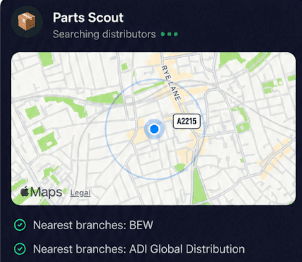
Need an extra patch lead or a replacement bracket for an Access Point U6 Pro? Parts Scout locates the closest supplier and lowest price for parts and consumables so your install stays on track.
Source equipment easily
Need an extra patch lead or a replacement bracket for an Access Point U6 Pro? Parts Scout locates the closest supplier and lowest price for parts and consumables so your install stays on track.

Meme Mode
Finally sorted that stubborn network drop on a Switch Flex Mini? Meme Mode lets you send light-hearted success or commiseration memes to your fellow technicians when a tough job is done.
Meme Mode
Finally sorted that stubborn network drop on a Switch Flex Mini? Meme Mode lets you send light-hearted success or commiseration memes to your fellow technicians when a tough job is done.
Made by engineers for engineers
What Early Users Say
Read what some of the first test users are saying about Super Engineer
Love the speed it finds answers from manuals. Especially on older more obscure equipment

Brendan
Security Engineer
Love the speed it finds answers from manuals. Especially on older more obscure equipment
Brendan
Security Engineer
We especially like the fact we can upload our specific company settings - as engineers are always forgetting them!

Alessandro
Company owner
We especially like the fact we can upload our specific company settings - as engineers are always forgetting them!
Alessandro
Company owner
We've uploaded all our support docs to the Brain so engineers don't have to call me all the time

David
Tech support manager
We've uploaded all our support docs to the Brain so engineers don't have to call me all the time
David
Tech support manager
Work smarter
Get home earlier from every Ubiquiti job
Get home earlier from every Ubiquiti job
Whether it’s handling a new piece of equipment, finding you that perfect morning snack or sourcing a missing piece of kit, Super Engineer’s AI makes your life easier & makes you smarter.
Includes our Get Home Early Guarantee ;-)
Whether it’s handling a new piece of equipment, finding you that perfect morning snack or sourcing a missing piece of kit, Super Engineer’s AI makes your life easier & makes you smarter.
Includes our Get Home Early Guarantee ;-)
