


AI Technical Support for Wallbox Chargers
The AI assistant built for technicians installing, servicing, and fault-finding Wallbox equipment like the Pulsar and Commander ranges.
Free to try

Get technical help across Wallbox Pulsar, Copper, Commander and Supernova units










AI technical help
Fix any Wallbox charger issue
Get clear technical answers direct from instruction manuals combined with trade knowledge to solve queries across Pulsar, Copper, Commander and Supernova charger installations on domestic drives and busy commercial sites across the country.

Fast answers on site
Get clear answers delivered without delay while servicing a Pulsar Max or Copper SB. No need to phone tech support or sift through lengthy documentation when diagnosing charging faults in front of a waiting customer.
Fast answers on site
Get clear answers delivered without delay while servicing a Pulsar Max or Copper SB. No need to phone tech support or sift through lengthy documentation when diagnosing charging faults in front of a waiting customer.
Fast answers on site
Get clear answers delivered without delay while servicing a Pulsar Max or Copper SB. No need to phone tech support or sift through lengthy documentation when diagnosing charging faults in front of a waiting customer.

Instruction manual sources
View page-specific manual references for units like the Commander 2 or Pulsar Plus directly in the app. Check recommendations directly from the manufacturer documentation to confirm setup steps while working on domestic and commercial EV charging points.
Instruction manual sources
View page-specific manual references for units like the Commander 2 or Pulsar Plus directly in the app. Check recommendations directly from the manufacturer documentation to confirm setup steps while working on domestic and commercial EV charging points.
Instruction manual sources
View page-specific manual references for units like the Commander 2 or Pulsar Plus directly in the app. Check recommendations directly from the manufacturer documentation to confirm setup steps while working on domestic and commercial EV charging points.
Pulsar Plus commissioning
Pulsar Max fault-finding
Copper SB maintenance
Commander 2 setup
Pulsar Plus commissioning
Pulsar Max fault-finding
Copper SB maintenance
Commander 2 setup
Pulsar Plus commissioning
Pulsar Max fault-finding
Copper SB maintenance
Commander 2 setup
Supernova 60 diagnostics
Pulsar Pro servicing
Commander 2s queries
Wallbox EV charger help
Supernova 60 diagnostics
Pulsar Pro servicing
Commander 2s queries
Wallbox EV charger help
Supernova 60 diagnostics
Pulsar Pro servicing
Commander 2s queries
Wallbox EV charger help
Advanced EV tools
AI toolkit for EV technicians
Use specialised AI tools to handle difficult Wallbox callouts, carry out routine maintenance, and speed up installations every day on domestic and commercial jobs.
Accurate Answers
Access detailed technical guidance for jobs on the Pulsar Pro or Commander 2s, complete with forum discussions, video references, and page-specific manual citations so you never have to search through paperwork while standing in front of the charger.
Accurate Answers
Access detailed technical guidance for jobs on the Pulsar Pro or Commander 2s, complete with forum discussions, video references, and page-specific manual citations so you never have to search through paperwork while standing in front of the charger.
Personalized to you
Select your trade, location, and language to receive tailored technical guidance on domestic Pulsar installations. Add your own notes to your Private Brain, with advice that checks compliance with local codes for your area without leaving anything to chance.
Personalized to you
Select your trade, location, and language to receive tailored technical guidance on domestic Pulsar installations. Add your own notes to your Private Brain, with advice that checks compliance with local codes for your area without leaving anything to chance.
Improve your skills
Set up Coach to receive bite-sized training on your phone between callouts. Build practical skills on commercial kit like the Commander 2 and keep your technical diagnostic abilities sharp across different EV charging systems wherever you are working.
Improve your skills
Set up Coach to receive bite-sized training on your phone between callouts. Build practical skills on commercial kit like the Commander 2 and keep your technical diagnostic abilities sharp across different EV charging systems wherever you are working.
Site Lock
Save lists of installed charging units for particular commercial locations. Site Lock keeps all your notes and equipment records together when maintaining a bank of Copper SB chargers across shared parking spaces or corporate workplace car parks.
Site Lock
Save lists of installed charging units for particular commercial locations. Site Lock keeps all your notes and equipment records together when maintaining a bank of Copper SB chargers across shared parking spaces or corporate workplace car parks.
Ninja Mode
Deploy Ninja Mode when troubleshooting tricky multi-fault callouts or linked units. Multiple AI agents work in parallel to resolve complex issues across your Pulsar Max and external energy meter setups without unnecessary delays on site.
Ninja Mode
Deploy Ninja Mode when troubleshooting tricky multi-fault callouts or linked units. Multiple AI agents work in parallel to resolve complex issues across your Pulsar Max and external energy meter setups without unnecessary delays on site.
Notes
Stop writing site reports by hand after every job. Use Notes to record your voice and snap photos of the completed Commander or Pulsar install, letting the AI generate a clean, shareable summary ready for your client immediately.
Notes
Stop writing site reports by hand after every job. Use Notes to record your voice and snap photos of the completed Commander or Pulsar install, letting the AI generate a clean, shareable summary ready for your client immediately.
Easy to use
Ready on site
Built for teams
Transparent Pricing, No Surprises
Flexible Plans for All
Select a plan that suits your daily workload and upgrade whenever your business expands.
Monthly
Yearly
2 months free
Free
$0
user/month
Try it on your next job
500 credits / one-off
ALL industry sectors (knowledge-base)
Custom knowledge upload (with limit)
Ninja Mode (advanced problem solver)
Meme Mode ;-)
Solo
$20
user/month + tax
Fix it solo. Fix it right.
5,000 credits / month*
ALL industry sectors (knowledge-base)
Ninja Mode for tough faults
Rocket Fuel Agents for parts and kit
Share to the Community Brain
Job notes
Meme Mode ;-)
Pro
Popular
$35
user/month + tax
Everything in Solo, plus:
10,000 credits / month*
Private Brain for your own data
Answers from your private Brain
Site Lock for your sites and kit
Custom branding
Daily Coach
10x manual uploads
Coming soon: analytics, API, bulk export
Monthly
Yearly
2 months free
Free
$0
user/month
Try it on your next job
500 credits / one-off
ALL industry sectors (knowledge-base)
Custom knowledge upload (with limit)
Ninja Mode (advanced problem solver)
Meme Mode ;-)
Solo
$20
user/month + tax
Fix it solo. Fix it right.
5,000 credits / month*
ALL industry sectors (knowledge-base)
Ninja Mode for tough faults
Rocket Fuel Agents for parts and kit
Share to the Community Brain
Job notes
Meme Mode ;-)
Pro
Popular
$35
user/month + tax
Everything in Solo, plus:
10,000 credits / month*
Private Brain for your own data
Answers from your private Brain
Site Lock for your sites and kit
Custom branding
Daily Coach
10x manual uploads
Coming soon: analytics, API, bulk export
The future - NOW!
Vision XR
Be the first to access 'Vision XR' - the AI Tech Assistant glasses from Super Engineer

Vision XR
Trial our special AI Glasses designed for tradesmen (coming soon!). The perfect accessory for any tradesman, giving them technical instructions via visual (Head Up Display) & audio (earpiece).
Vision XR
Trial our special AI Glasses designed for tradesmen (coming soon!). The perfect accessory for any tradesman, giving them technical instructions via visual (Head Up Display) & audio (earpiece).
Wallbox answers
Frequently asked questions
Find out how Super Engineer supports technicians on Wallbox callouts.
Which Wallbox EV chargers does Super Engineer cover?
Super Engineer covers key domestic, commercial, and rapid DC models across the brand's portfolio. Pulsar includes the Pulsar domestic smart charger • Pulsar Plus compact domestic smart charger • Pulsar Max flagship domestic charger with upgraded robustness • Pulsar Pro commercial charger optimized for shared spaces with RFID access and integrated 4G • Copper includes the Copper C commercial socket charger • Copper SB commercial socket charger • Commander includes the Commander commercial touchscreen charger • Commander 2 commercial charging station • Commander 2s commercial charger • Supernova includes the Supernova 60 DC fast charger. These are only examples — the Super Engineer app covers many more Wallbox models.
Is Super Engineer affiliated with Wallbox?
No. Super Engineer is completely independent and has no official partnership, endorsement, or formal connection with Wallbox. Our platform exists purely to provide practical on-site assistance for the trades and field technicians who install, maintain, and repair charging equipment daily. We index technical literature including manufacturer instruction manuals, trade forum advice, and publicly available technical data so technicians can find rapid diagnostic answers without waiting in telephone queues. Everything provided within our system is designed to support the technician's own expertise in the field, helping solve complex charging issues efficiently across both residential driveways and commercial installations.
How does Super Engineer help with Wallbox installs and servicing?
Technicians use Super Engineer right at the charge point to accelerate installs, routine servicing, and complex fault calls across every range. When commissioning a Pulsar Max on a residential driveway, the app clarifies setup requirements and links directly to relevant manual pages so you can verify settings immediately. On commercial jobs involving Copper SB or Commander 2 units, it assists with network configuration queries, RFID reader setup, and load management checks across multiple chargers. If an older Commander or high-powered Supernova 60 develops an unexpected fault, Super Engineer provides instant diagnostic paths and manual citations so technicians resolve the issue without lengthy delays.
Can Super Engineer assist with older or unfamiliar Wallbox units?
Yes, Super Engineer is built specifically to assist technicians when encountering older hardware or unfamiliar charging units on site. If you arrive at a commercial facility fitted with an older Commander or early Pulsar unit, you can ask questions about its status indicators, wiring layouts, or hardware configurations. The platform searches through technical manuals to provide the exact context needed for troubleshooting legacy equipment. It provides the same dependable support whether you are diagnosing an unfamiliar Copper C socket charger, maintaining a Commander 2s, or inspecting a Supernova 60 DC fast charger, giving technicians complete confidence regardless of the unit's age or installation history.
How do teams use Super Engineer across Wallbox commercial sites?
Field service teams rely on Super Engineer to maintain consistent quality and rapid problem-solving across large commercial projects. Technicians maintaining multiple Copper SB or Pulsar Pro charging points across fleet depots and workplace car parks use Site Lock to keep equipment lists, site-specific notes, and previous fault logs organized in one accessible space. Newer team members use Coach to build skills on complex units like Commander 2 charging stations, while seasoned technicians leverage Ninja Mode for tricky multi-charger faults. With access via mobile apps, desktop, WhatsApp, and Slack, the whole team shares knowledge seamlessly, ensuring faster turnarounds and fewer return visits on commercial callouts.
Which Wallbox EV chargers does Super Engineer cover?
Is Super Engineer affiliated with Wallbox?
How does Super Engineer help with Wallbox installs and servicing?
Can Super Engineer assist with older or unfamiliar Wallbox units?
How do teams use Super Engineer across Wallbox commercial sites?
Feel free to mail us for any enquiries : team@superengineer.app
Added tools
Helpful extra features
Explore additional tools designed to help trades save effort every day.
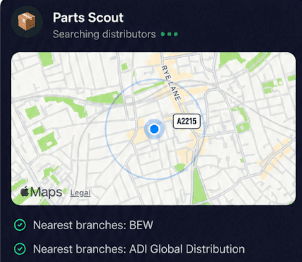
Source equipment easily
Parts Scout quickly tracks down replacement parts and components for your Pulsar Max or Copper SB, locating nearby suppliers and part numbers so you can wrap up repairs without delay.
Source equipment easily
Parts Scout quickly tracks down replacement parts and components for your Pulsar Max or Copper SB, locating nearby suppliers and part numbers so you can wrap up repairs without delay.
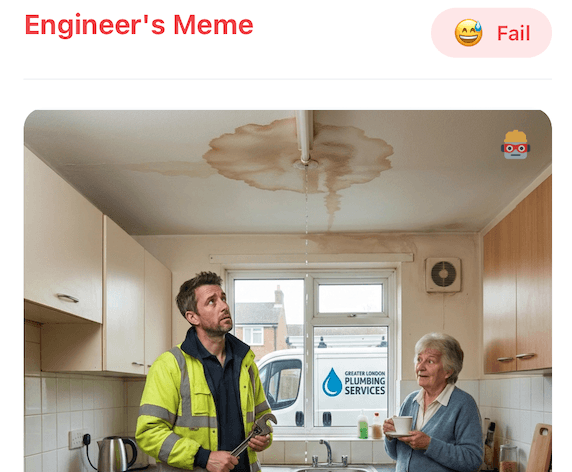
Meme Mode
Use Meme Mode to share lighthearted memes with colleagues after completing a tricky Commander 2 install, keeping team morale high whether the day went smoothly or tested your patience on site.
Meme Mode
Use Meme Mode to share lighthearted memes with colleagues after completing a tricky Commander 2 install, keeping team morale high whether the day went smoothly or tested your patience on site.
Made by engineers for engineers
What Early Users Say
Read what some of the first test users are saying about Super Engineer
Love the speed it finds answers from manuals. Especially on older more obscure equipment

Brendan
Security Engineer
Love the speed it finds answers from manuals. Especially on older more obscure equipment
Brendan
Security Engineer
We especially like the fact we can upload our specific company settings - as engineers are always forgetting them!

Alessandro
Company owner
We especially like the fact we can upload our specific company settings - as engineers are always forgetting them!
Alessandro
Company owner
We've uploaded all our support docs to the Brain so engineers don't have to call me all the time

David
Tech support manager
We've uploaded all our support docs to the Brain so engineers don't have to call me all the time
David
Tech support manager
Finish jobs faster
Professional assistance for every Wallbox job
Professional assistance for every Wallbox job
Whether it’s handling a new piece of equipment, finding you that perfect morning snack or sourcing a missing piece of kit, Super Engineer’s AI makes your life easier & makes you smarter.
Includes our Get Home Early Guarantee ;-)
Whether it’s handling a new piece of equipment, finding you that perfect morning snack or sourcing a missing piece of kit, Super Engineer’s AI makes your life easier & makes you smarter.
Includes our Get Home Early Guarantee ;-)
